






Connecting a fiber optic cable requires precision and the correct tools. Over 70% of global internet users depend on fiber optics, so you must match connector types and follow safety guidelines to ensure reliable performance. You will encounter scenarios such as home internet setup, outdoor installations, and fiber drop connections.
Scenario | Description |
|---|---|
Home Internet Setup | Connects fiber optic cables from the central office to homes using ONTs. |
Outdoor Installations | Uses underground or aerial methods to deliver service to homes. |
Fiber Drop Connection | Links the provider's access point to the ONT at the customer's home. |
Tip: Work step by step and double-check each connection for best results.
Key Takeaways
- Use the right tools for fiber optic installation. Essential tools include strippers, cleavers, and splicers to ensure a reliable connection.
- Choose the correct connector type for your setup. Common types like LC and SC are ideal for home networks, while MPO/MTP suits high-density environments.
- Follow proper fiber optic cable preparation steps. Carefully strip and clean the fiber to avoid damage and ensure optimal signal transmission.
- Test your connections for quality. Use tools like optical power meters to check for signal loss and ensure your installation meets performance standards.
- Prioritize safety when handling fiber optics. Wear protective gear and dispose of fiber scraps properly to prevent injuries.
Tools for Fiber Optic Cable
Essential Tools
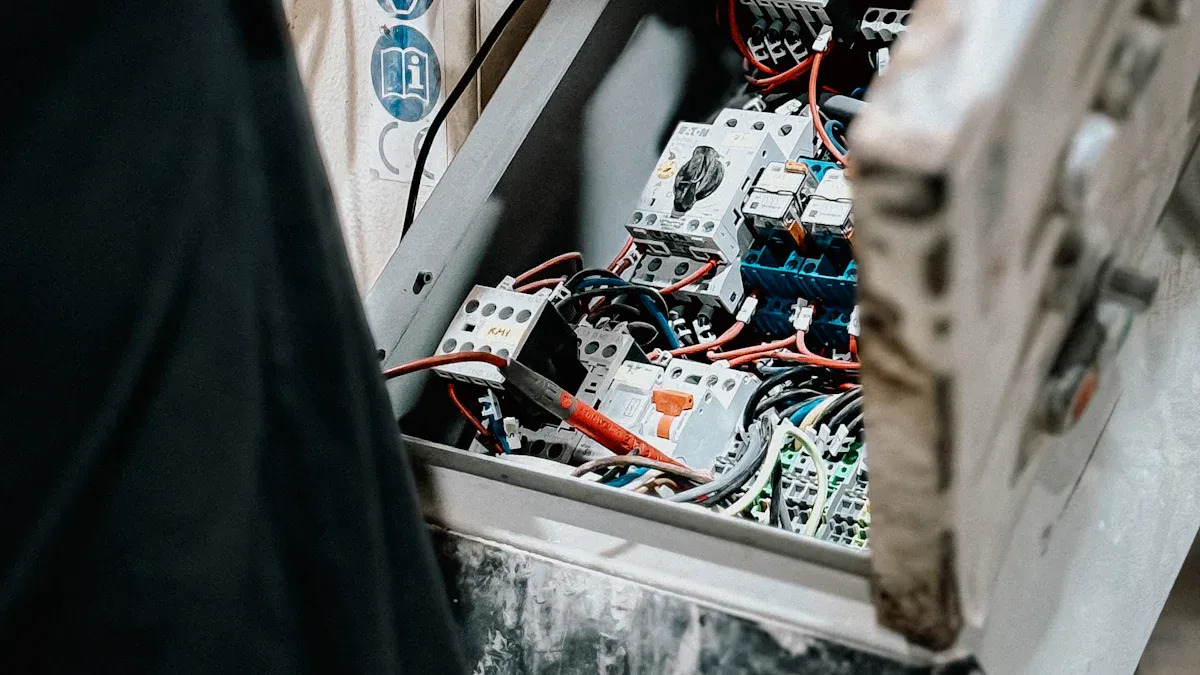
To achieve a reliable fiber optic cable connection, you need specialized tools. These tools help you prepare, connect, and test the fiber optic cable efficiently. In professional installations, you will use some tools more frequently than others. Here are the essentials:
- Fiber Optic Cable Strippers: Remove the protective outer layer without damaging the fiber.
- Fiber Cleavers: Create a clean, flat end face for optimal light transmission.
- Fusion Splicers: Join two fibers by fusing their ends, ensuring minimal signal loss.
- Optical Power Meters: Measure the strength of the optical signal to confirm proper transmission.
- Visual Fault Locators (VFLs): Use visible laser light to detect breaks or faults in the fiber.
- Optical Time-Domain Reflectometers (OTDRs): Analyze the length and quality of the fiber, identifying points of signal loss.
- Connector Cleaning Kits: Remove dust and contaminants from connectors, which is critical since improper cleaning can cause failure rates above 50%.
Tip: Always clean connectors before making a connection. Even a small amount of dust can disrupt your fiber optic cable performance.
Connector Types
Choosing the right connector type is crucial for compatibility with your router or ONT. Each connector offers different strengths in terms of durability, size, and performance. The table below compares the most common types:
Connector Type | Key Features | Applications |
|---|---|---|
SC | Secure push-pull, low insertion loss | Data centers, telecommunications |
LC | Compact, latching, high density | Telecom, enterprise networks |
ST | Bayonet locking, durable | Industrial, campus networks |
MPO/MTP | Multi-fiber, high bandwidth | Cloud, large data centers |
FC | Threaded, stable connection | Instrumentation, long-distance |
E2000 | Shuttered, low insertion loss | High-reliability telecom |
MT-RJ | Compact, duplex | Local area networks (LANs) |
For home networks, LC and SC connectors are most common. In high-density or commercial environments, you may see MPO/MTP connectors due to their ability to handle multiple fibers and higher speeds. LC connectors cost more because of their compact design, while SC and ST connectors are more budget-friendly but may not support the highest speeds.
Materials for Protection
Protecting your fiber optic cable, especially outdoors, requires robust materials. Outdoor-rated cables use UV-resistant jackets and water-blocking gels or tapes to prevent moisture damage. Armored fiber optic cables, reinforced with steel or aluminum, provide extra strength against crushing or bending. For harsh environments, ruggedized or direct burial cables with sealed enclosures keep out moisture and pests.
fiber optic cable Type | Jacket Material | Water & Dust Protection | Ruggedness | Rodent Protection |
|---|---|---|---|---|
SteelFlex-IP68 | IP68 waterproof | Highest | Rodent-Proof | |
SteelMax-IP68 | IP68 waterproof | Very High | Rodent-Resistant | |
SteelPatch-IP68 | IP68 waterproof | High | Rodent-Resistant | |
TPU-IP68 | IP68 waterproof | Medium | Low |
When installing a fiber optic cable outdoors, always select fiber optic cables rated for the environment. This ensures long-term durability and reliable performance, even in extreme weather.
Connecting Fiber Optic Cable
Cable Preparation
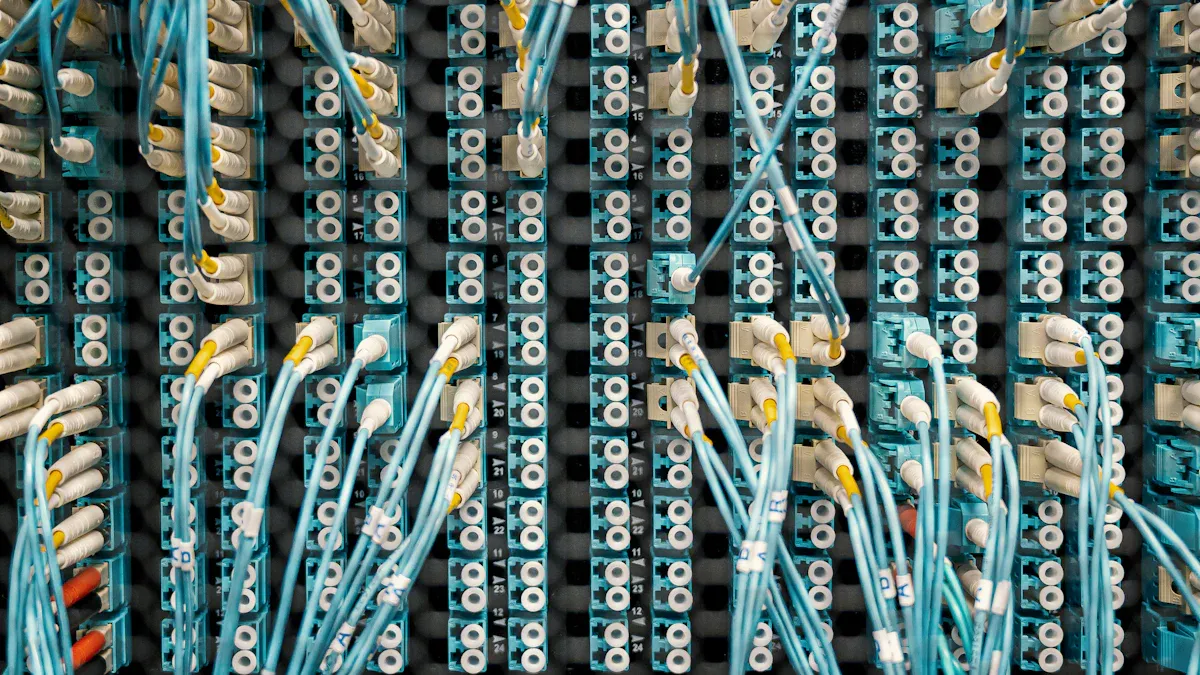
Proper fiber optic cable preparation ensures a reliable and low-loss connection. You must follow each step carefully to avoid damaging the delicate fibers inside the fiber optic cable. Here is a step-by-step guide for preparing fiber optic cables:
- Use a fiber optic jacket stripper to remove the outer protective coating.
- Score the jacket gently to avoid harming the inner buffer coating.
- Remove the jacket at the scored location to expose the aramid (Kevlar) strength member and fiber strands.
- Cut off the aramid strength member using scissors.
- Use a 900µm buffer remover to strip the buffer coating in ¼ inch increments.
- Employ the last hole on a 3-hole fiber stripper tool to remove the acrylate coating.
- Clean the bare fiber with a lint-free wipe dampened with fiber cleaning fluid.
- Use a fiber optic cleaver to make a clean, perpendicular cut on the end of the fiber.
⚠️ Tip: Always clean the fiber after stripping. Even a tiny dust particle can cause significant signal loss.
Many users make mistakes during this stage. The table below highlights common errors and solutions:
Mistake | Description | Solution |
|---|---|---|
Exposed fiber optic cables | Prone to damage from moisture and foot traffic | Use conduits and fiber optic cable management accessories |
Mixing Different Types of fiber optic cables | Causes electromagnetic interference | Keep power and data fiber optic cables separate |
Poor Grounding Practices | Leads to electrical noise and safety risks | Use proper grounding and qualified personnel |
Not Using Cable Management | Results in a cluttered setup | Use trays, conduits, and clips |
Overloading Cables | Can cause overheating and fire hazards | Stay within load capacity |
Tangling fiber optic cables | Increases risk of damage | Organize fiber optic cables properly |
Skipping Future Planning | Leads to disorganization | Plan for future expansions |
Using Only Plastic Ties | Can break over time | Use a variety of fiber optic cable management tools |
Not Spacing fiber optic cable Supports | Causes sagging and strain | Space supports properly |
Ignoring Labeling | Leads to confusion during maintenance | Label all fiber optic cables clearly |
Overtightening fiber optic cable Ties | Can damage insulation | Use ties with appropriate tension |
Leaving Cables Exposed | Vulnerable to damage | Protect cables with conduits |
Attaching Connectors
You can attach connectors to fiber optic cables using either mechanical splicing or fusion splicing. Each method has unique advantages and is suitable for different scenarios.
Aspect | Mechanical Splicing | Fusion Splicing |
|---|---|---|
Cost of Tools | Lower upfront cost | Higher upfront cost |
Consumable Prices | Higher than fusion splicing | Lower than mechanical splicing |
Insertion Loss | ~0.2 dB | ~0.02 dB |
Signal Loss | Higher signal loss | Lowest signal loss |
Method | Uses connectors and alignment | Uses electrodes for alignment |
Durability | Less durable | Most durable method |
For most home installations, mechanical splicing offers a cost-effective solution. If you require the lowest possible signal loss and maximum durability, fusion splicing is the industry standard.
To ensure a secure and low-loss connector attachment, follow these best practices:
- Achieve a clean and smooth fiber cleave to reduce optical loss.
- Clean fiber ends with isopropyl alcohol and lint-free wipes before splicing.
- Use high-precision splicers with core alignment technology for optimal results.
- Maintain a controlled environment to prevent contamination.
- Regularly calibrate and clean your tools.
- Test the connection with an OTDR or power meter after splicing.
🛠️ Note: Always inspect the connector end-face with a fiberscope. Clean with a dry technique first, then use wet cleaning if necessary. Repeat inspection until the connector is spotless.
Connecting to ONT and Router
You must connect the fiber optic cable to an Optical Network Terminal (ONT) before linking it to your router. The ONT converts the optical signal into an Ethernet signal that your router can use. Follow these steps:
- Set up the ONT provided by your Internet Service Provider (ISP).
- Mount the ONT securely on a wall or place it in a stable location.
- Insert the fiber optic cable from your ISP into the ONT's designated port. Ensure it clicks in place.
- Use a Cat 6 or Cat 6a Ethernet cable for high-speed data transfer.
- Plug one end of the Ethernet cable into the GE1 port on the ONT.
- Connect the other end to the 'Internet' or 'WAN' port on your router.
- Power on your router and wait for it to boot up.
- Open a web browser and enter the router's IP address (usually found on the router's label).
- Follow the setup wizard to configure your Wi-Fi network. Change the default username and password for security.
💡 Tip: If your router does not have a fiber port, you need a media converter. Media converters bridge the gap between fiber and copper Ethernet, ensuring compatibility with your existing network devices. When selecting a media converter, consider compatibility, speed, and distance requirements.
Outdoor Installation Tips
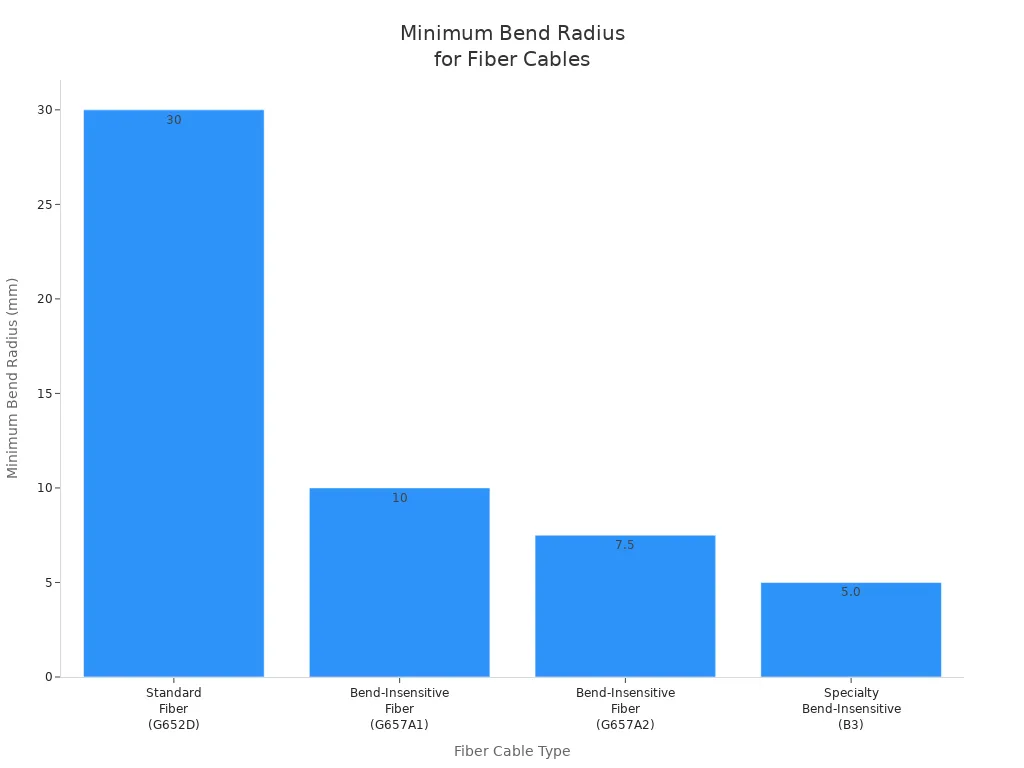
Outdoor installations require extra care to protect fiber optic cables from environmental hazards. Use direct-burial cables or run cables through conduit to shield them from moisture, rodents, and physical damage. Always observe the minimum bend radius to prevent signal loss or fiber breakage.
Fiber Cable Type | Minimum Bend Radius |
|---|---|
Standard Fiber (e.g., G652D) | ~30mm or 10x cable diameter |
Bend-Insensitive Fiber (G657A1) | ~10mm |
Bend-Insensitive Fiber (G657A2) | ~7.5mm |
Specialty Bend-Insensitive (B3) | ~5.0mm |
Note: Moisture, extreme temperatures, and rodents are the most common threats to outdoor fiber optic cables. Use weatherproof and rodent-resistant cables in vulnerable locations. Regularly inspect outdoor installations for damage, and seal all junctions and splices with waterproof enclosures.
Real-World Scenario:
A homeowner in a rural area installed fiber optic cables from the utility pole to their house. They used armored, direct-burial fiber optic cable and ran it through a conduit underground. By observing the correct bend radius and using weatherproof enclosures, they achieved a stable, high-speed connection that withstood harsh winters and heavy rain.
Pro Tip: Always plan for future expansion. Leave extra slack in the fiber optic cable and label all connections clearly. This makes maintenance and upgrades much easier.
Testing Fiber Optic Cables

Testing ensures your fiber installation delivers reliable, high-speed performance. You need to verify both signal quality and continuity to avoid costly downtime or poor connections. Testing also helps you identify issues early, saving time and money on repairs.
Signal Quality Check
You must check signal quality to confirm that your installation meets industry standards. Poor signal quality can cause slow speeds, dropped connections, or total service loss. Use specialized tools to measure insertion loss and return loss, which indicate how much light is lost as it travels through the fiber optic cable and how much is reflected back.
Tool/Method | Description |
|---|---|
Optical Loss Test Set (OLTS) | Measures total light lost (insertion loss) for certification, providing accurate and repeatable results. |
Optical Time Domain Reflectometer (OTDR) | Used for troubleshooting, requires access to one end of the fiber, identifies faults by measuring reflected light. |
Visible Light Source Testing | Verifies fiber continuity and locates defects using a visible laser source. |
You should compare your measured loss to the calculated loss budget. The loss budget includes typical losses from the fiber, splices, and connectors. If your measured loss is much higher than expected, you need to investigate further.
Fiber Connector Type | Insertion Loss (IL dB) | Return Loss (RL dB) |
|---|---|---|
LC, SC, ST, FC, E2000 (SM) | ≤0.2 | ≥50 |
LC, SC, ST, FC, E2000 (MM) | ≤0.3 | ≥30 |
MPO, MTP (OS2) | ≤0.70 | ≥60 |
MPO, MTP (MM) | ≤0.60 | ≥30 |
✅ Tip: A successful connection shows insertion loss and return loss within these ranges. High insertion loss or low return loss signals a problem with splicing, connectors, or fiber optic cable damage.
Continuity Testing
Continuity testing helps you confirm that light travels through the fiber without interruption. This step is essential before you connect any network equipment. You can use several methods to check continuity:
Method | Purpose |
|---|---|
Visible Light Source | Quickly identifies faults and verifies transmission during continuity testing. |
Power Meter with Light Source | Measures end-to-end signal loss or attenuation effectively. |
Optical Time Domain Reflectometer | Tests both single mode and multimode fiber, measuring length, attenuation, and identifying issues. |
- Shine a visible light source into one end of the fiber optic cable.
- Look for light at the other end. If you see light, the fiber optic cable is intact.
- If no light appears, you likely have a break or poor connection.
Note: Always test every fiber run before finalizing your installation. This step prevents future troubleshooting headaches and ensures your network operates at peak performance.
Troubleshooting and Joining Fiber Cable
Common Issues
When you work with fiber networks, you may encounter several types of signal loss or connection problems. These issues can disrupt service and reduce network performance. The table below outlines the most frequently reported problems and their typical causes:
Type of Loss | Description |
|---|---|
Intrinsic Losses | Losses inside the fiber core due to material properties. |
Extrinsic Losses | Losses from external factors like splicing or bending. |
Bending Loss | Signal loss from bending the fiber optic cable too tightly (macro- or micro-bending). |
Splice Loss | Power loss at the splice point, often from poor technique. |
Insertion Loss | Losses when connecting devices or connectors, usually from defects or contamination. |
Scattering Loss | Light loss from density changes in the fiber. |
Absorption Loss | Losses from impurities in the fiber, causing heat. |
Dispersion | Signal distortion as light travels, affecting data quality. |
⚠️ Tip: Always check for visible damage, dirty connectors, or sharp bends if you notice poor signal or dropped connections.
Fixing Connection Problems
You can resolve most connection problems by following a systematic troubleshooting process. Use this step-by-step approach to restore your network:
- Gather information about the failure and form a hypothesis about the cause.
- Inspect the fiber optic cable, connectors, and equipment to locate the problem area.
- Test each component. Look for contamination, scratches, or defects on connector endfaces using magnification.
- Clean connectors with lint-free wipes and cleaning fluid.
- Use a visual fault locator to find breaks or faults in the fiber optic cable.
- Measure power loss with an optical light source to confirm the issue.
- Repair or replace damaged fiber optic cables, connectors, or devices as needed.
- Retest the network to ensure optimal performance.
Regular inspections and proper handling help prevent increased insertion loss and signal degradation.
If you discover a break, you must join the fiber optic cable using a reliable method. The table below compares the two main techniques for joining fiber cable:
Method | Pros | Cons |
|---|---|---|
Mechanical Splicing | Quick, easy, and removable; lower initial cost. | Higher loss per splice; less durable. |
Fusion Splicing | Low insertion loss; strong, permanent joint. | Higher upfront cost; not easily changed. |
For home users, mechanical splicing offers a fast solution for temporary repairs. In business or mission-critical networks, fusion splicing provides the best long-term reliability.
🛠️ Scenario: A small business experiences frequent signal drops. After inspecting the network, you find a micro-bend near a connector and a dirty endface. Cleaning the connector and correcting the bend restores full service, avoiding costly downtime.
Safety Tips

Personal Protection
You must protect yourself when working with fiber optic cable. Tiny glass fibers can cause serious injuries if they penetrate your skin, eyes, or lungs. You need to wear the right personal protective equipment to reduce these risks.
- Wear safety glasses with side shields to shield your eyes from fiber shards and laser exposure.
- Use gloves to prevent skin contact with chemicals and to avoid splinters.
- Put on long sleeves and closed shoes to keep fibers off your skin and feet.
- Choose a disposable lab apron to stop fiber splinters from collecting on your clothing.
- Use a dust mask in poorly ventilated areas to avoid inhaling harmful particles.
- Wash your hands thoroughly before touching your face or contact lenses after handling fibers.
A well-ventilated workspace helps minimize airborne glass particles. You should always inspect your work area for stray fibers before leaving. If you get a splinter, use Teflon-coated tweezers for safe removal.
⚠️ Alert: Glass fibers can easily penetrate your skin and eyes. Inhaled or ingested fibers may cause irritation or infection. You must take every precaution to avoid these hazards.
Safe Handling and Disposal
Proper handling and disposal of fiber scraps protect you and others from injury. The small, sharp nature of glass fibers makes them a significant hazard.
- Always dispose of fiber optic cable scraps in a labeled, specialized container.
- Use a black polishing mat to locate and collect fiber bits easily.
- Never leave scraps on work surfaces or floors.
- Follow manufacturer guidelines for chemical usage and disposal.
- Ensure your work area has proper ventilation when using solvents or epoxies.
Risk Type | Description |
|---|---|
Physical Injuries | Tiny glass or plastic fibers can break off and become airborne, posing risks of inhalation, ingestion, or skin embedding. |
Chemical Risks | Cleaning agents used in fiber optic work may pose chemical hazards if not handled properly. |
Improper Disposal | Fiber shards must be disposed of in specialized containers to prevent injuries and environmental hazards. |
You must adhere to OSHA safety rules and local regulations. Regularly inspect your workspace for safe disposal practices. Manufacturer guidelines help you handle chemicals and fibers safely, reducing the risk of accidents.
✅ Tip: Safe habits protect your health and the environment. You set the standard for safety in every installation.
You can achieve reliable network performance by following each step for connecting fiber optic cable. Use the right tools, match connectors, and inspect every termination for cleanliness. Test for insertion loss and continuity to confirm long-term reliability.
- Always clean connectors before termination.
- Test fiber optic cables for continuity and insertion loss.
- Keep records of your results for future reference.
- Mastering these skills ensures high-quality data transmission and minimizes signal degradation. Regular inspection and cleaning help prevent interruptions and maintain optimal network functionality.
- Careful installation and attention to detail open new opportunities for DIY upgrades in your home or business.
FAQ
Why do you need to test fiber optic cables after installation?
Testing ensures you get reliable performance and high-speed data. You can identify issues like signal loss or poor connections before you start connecting devices. This step helps you avoid costly downtime and guarantees your network meets industry standards.
Why is cleaning connectors important before joining fiber cable?
Dust and debris can block light transmission and cause high insertion loss. Cleaning connectors before joining fiber cable prevents signal degradation. You protect your investment and maintain optimal network speed by following this simple step.
Why should you use the correct bend radius for outdoor fiber optic cables?
Using the correct bend radius prevents micro-bending and signal loss. You extend the lifespan of your fiber optic cable and avoid frequent repairs. Manufacturers specify bend radius limits to help you maintain stable connections in harsh environments.
Why do you need a media converter when connecting devices to a fiber network?
Most routers use copper Ethernet ports. You need a media converter to bridge the gap between fiber and copper when connecting devices. This tool ensures compatibility and allows you to use your existing equipment with fiber optic service.
Why is fusion splicing preferred for joining fiber cable in business networks?
Fusion splicing creates a strong, permanent joint with minimal signal loss. You get better durability and reliability compared to mechanical splicing. Businesses choose fusion splicing for mission-critical applications that demand consistent performance.