

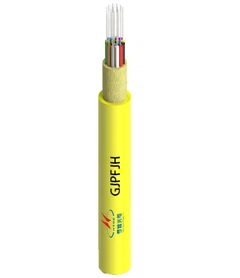



You can spot a fiber optic cable by its thin, round shape and smooth, often shiny surface. Brightly colored jackets-like orange, yellow, or blue-make these cables stand out from others you may see at home or work. Recognizing a fiber optic cable helps you set up high-speed internet, troubleshoot network issues, or identify connections in medical, military, and broadcasting equipment.
Fiber optic cables deliver reliable internet to homes and businesses.
They support secure data transmission in medical, aerospace, and broadcasting fields.
Key Takeaways
- Fiber optic cables are thin, round, and often have brightly colored jackets, making them easy to identify.
- Single-mode cables are best for long distances, while multi-mode cables suit shorter connections; choose based on your project needs.
- The outer jacket material affects durability; select PVC for indoor use and UV-resistant materials for outdoor installations.
- Color-coded jackets and connectors help prevent mistakes; yellow indicates single-mode, while orange and aqua signify multi-mode.
- Always follow safety protocols when handling fiber optic cables to avoid injuries from glass shards or laser exposure.
Fiber Optic Cable Appearance
Size and Shape
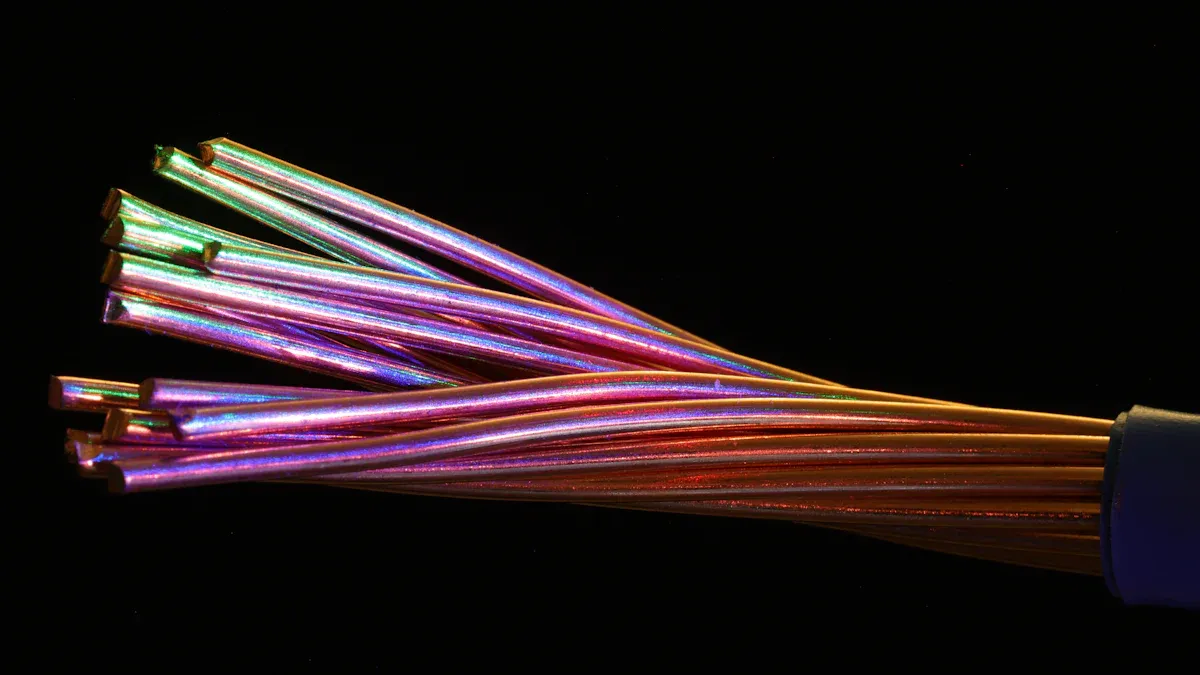
You will notice that fiber optic cables have a thin, cylindrical shape with a smooth, often shiny surface. This design makes them easy to distinguish from bulkier copper cables. The core of a single-mode fiber optic cable measures only 8 to 10 microns in diameter, while the external diameter is about 125 microns. Most fiber optic cables containing multiple fibers remain under 13 millimeters in diameter, making them much slimmer than standard coaxial cables, which can reach up to 47 millimeters.
|
Cable Type |
Diameter Range |
|---|---|
|
Single-mode Fiber |
8μm - 10μm (core) |
|
Fiber Optic Cable |
125μm (external diameter) |
|
Optical Cable (4-48 fibers) |
< 13mm |
|
Standard Coaxial Cable |
47mm |
When you compare fiber optic cables to Ethernet or coaxial cables, the difference becomes clear:
- Fiber optic cables use thin glass fibers to transmit data using light. The core carries the light signal, and the cladding reflects it back, ensuring efficient transmission.
- Ethernet cables contain twisted pairs of copper wires for electrical signals.
- Coaxial cables feature a central conductor surrounded by insulation and shielding to block electromagnetic interference.
You will often see fiber optic cables arranged in gentle, sweeping curves in cable trays. This flexibility helps prevent damage to the delicate fibers inside. Copper cables, in contrast, tend to bend sharply and lack the same smooth appearance.
Common Colors and Markings
You can identify fiber optic cables by their distinctive jacket colors. Manufacturers use color codes to indicate fiber type and performance characteristics. Here is a quick reference:
|
Color |
Fiber Type |
Significance |
|---|---|---|
|
Yellow |
Singlemode |
Indicates singlemode fiber characteristics. |
|
Orange |
Multimode |
Represents multimode fiber. |
|
Aqua |
Multimode |
Used for multimode fiber applications. |
|
Green |
Multimode |
Sometimes used for specific multimode fibers. |
- Yellow jackets signify singlemode fiber optic cables.
- Orange, aqua, and green jackets represent multimode fiber optic cables.
- Each color provides clues about the cable's intended use and performance.
You will also find printed legends on the outer jacket. These markings identify the number and types of fibers inside the cable. For example, a legend might read "12 Fiber, 8 x 50/125, 4 x SM," helping you quickly determine the fiber count and type.
Outer Jacket Features
The outer jacket of a fiber optic cable serves as its first line of defense against environmental hazards. Manufacturers use materials like Polyvinyl Chloride (PVC), Cross-Linked Polyethylene (XLPE), Polyurethane (PU), and Low Smoke Zero Halogen (LSZH) to enhance durability and safety.
- PVC jackets offer flexibility, cost-effectiveness, and flame retardance, making them ideal for indoor installations.
- XLPE jackets provide UV resistance and moisture protection, which suits outdoor environments.
- PU jackets deliver high wear and chemical resistance, perfect for industrial settings.
- LSZH jackets emit minimal smoke during combustion, improving fire safety in enclosed spaces.
Tip: When you select fiber optic cables for your home or office, consider the jacket material based on your installation environment. Indoor cables need flexibility and fire resistance, while outdoor cables require UV and moisture protection.
The jacket resists water entry, remains inert to gases and liquids, and provides a smooth surface for easy installation. It must stay flexible across temperature changes and withstand abrasion and mechanical stress during installation and use.
You will find fiber optic cables in many scenarios, including home networking, office data centers, and industrial environments. Their slim profile, color-coded jackets, and durable outer layers make them easy to identify and handle, even for users with limited technical experience.
Fiber Optic Cable Structure
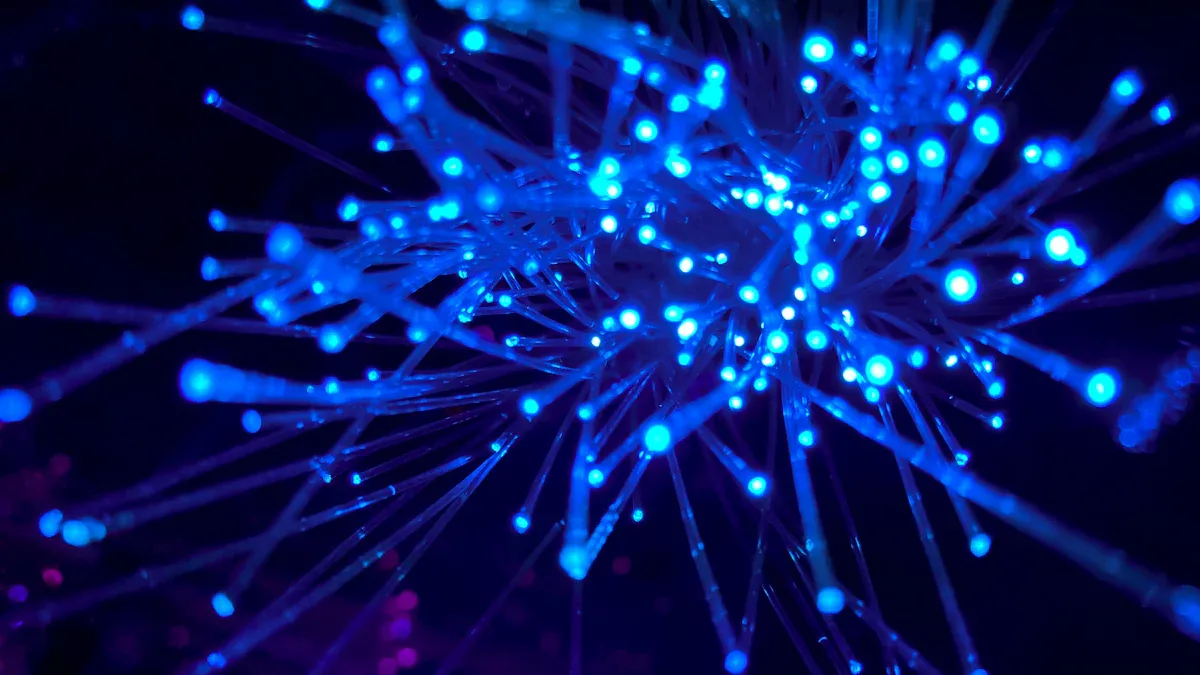
Understanding the internal structure of a fiber optic cable helps you appreciate why it excels in high-speed data communications. Each layer plays a critical role in protecting the delicate fibers and ensuring reliable performance, whether the fiber optic cable is used indoors or outdoors.
Core and Cladding
At the heart of every fiber optic cable, you find the core-a slender strand of glass or plastic that transmits light signals. The core's diameter is incredibly small, making it almost invisible to the naked eye. For perspective, compare the core to a human hair:
|
Item |
Diameter (microns) |
|---|---|
|
Single-mode fiber core |
8-10 |
|
Multi-mode fiber core |
50-62.5 |
|
Human hair |
75-100 |
|
Comparison |
Up to 10 times thinner |
The core sits inside a layer called the cladding. The cladding surrounds the core and keeps the light signals contained, using a principle called total internal reflection. Here's how the cladding works:
- Cladding confines light within the core of the fiber optic cable.
- It uses total internal reflection to keep the signal from escaping.
- The cladding has a lower refractive index than the core, causing light to reflect back into the core.
- This design ensures that optical signals remain strong and do not dissipate over long distances.
You can see why the core and cladding combination is essential for transmitting data quickly and securely.
Buffer and Strength Members
The buffer layer wraps around the cladding, providing extra protection against physical damage and environmental stress. You will encounter two main types of buffer designs:
|
Buffer Type |
Description |
|---|---|
|
Loose Buffer |
Encapsulates one or more fibers, providing mechanical isolation and protection from damage. |
|
Tight Buffer |
Consists of a polymer coating in direct contact with the fiber, offering enhanced protection. |
|
Materials Used |
Includes fluoropolymers like polyvinylidene fluoride (Kynar), polytetrafluoroethylene (Teflon), and polyurethane. |
The buffer shields the fibers from moisture, abrasion, and temperature changes. Manufacturers select materials like polypropylene, polyvinylidene fluoride, and polyurethane for their durability and resistance to chemicals, fire, and weathering.
Strength members run alongside or around the buffer. These components give the cable its toughness and flexibility. You often find materials such as Kevlar, aramid yarns, dielectric rods, or fiberglass rods in this layer. Strength members:
- Provide structural support and prevent stretching during installation.
- Protect the fragile glass fibers from crushing or bending.
- Maintain flexibility while allowing the cable to withstand pulling forces and harsh environments.
Tip: When installing fiber optic cables in challenging conditions, always check for strength members to ensure the cable can handle the required stress.
Protective Layers
The outermost layers of a fiber optic cable defend against environmental hazards. The type of protective layer depends on where you install the cable:
|
Cable Type |
Protective Layer(s) |
|---|---|
|
Indoor Fiber Optic |
PVC or LSZH (fire-retardant, low smoke) |
|
Outdoor Fiber Optic |
UV-resistant polyethylene, water-blocking compounds |
Indoor cables use PVC or LSZH jackets to reduce smoke and fire risks. Outdoor cables feature UV-resistant polyethylene and water-blocking gels to guard against sunlight, moisture, and temperature extremes.
Each layer in the fiber optic cable structure works together to deliver reliable, high-speed data communications. By understanding these components, you can choose the right cable for your needs and ensure long-lasting performance in any environment.
Types of Fiber Optic Cables

Single-Mode vs Multi-Mode
When you plan fiber optic projects, you need to choose between single-mode and multi-mode cables. Each type has unique visual and performance characteristics that impact your decision. Single-mode cables have a much thinner core, usually 8 to 10 microns, while multi-mode cables feature a larger core of 50 or 62.5 microns. This difference affects how light travels through the cable and how far the signal can go.
|
Feature |
Single-Mode Fiber |
Multi-Mode Fiber |
|---|---|---|
|
Core Diameter |
8-10 microns |
50 or 62.5 microns |
|
Light Transmission |
Single mode |
Multiple modes |
|
Signal Dispersion |
Minimal |
Higher due to bouncing |
|
Distance Capability |
Long-distance transmission |
Shorter-range solutions |
|
Bandwidth |
Higher |
Lower |
Single-mode fiber supports long-distance, high-bandwidth applications, making it ideal for large-scale fiber optic projects like citywide networks or data centers.
Multi-mode fiber works best for shorter distances, such as within buildings or campus environments.
You can spot single-mode cables by their thinner appearance. Multi-mode cables look slightly thicker due to the larger core. This visual difference helps you select the right cable for your fiber optic projects.
Indoor fiber optic cable vs Outdoor fiber optic cable
You must also consider where you will install your fiber optic cable. Indoor and outdoor cables have different designs to handle specific environments.
|
Feature |
Indoor Fiber Optic Cables |
Outdoor Fiber Optic Cables |
|---|---|---|
|
Tensile Strength |
Lower |
Higher |
|
Protective Layer |
Thinner, less protective |
Thicker, often armored |
|
Weight |
Lighter |
Heavier |
|
Cost |
More economical |
Generally more expensive |
|
Applications |
Buildings, homes |
Direct burial, overhead, outside |
Indoor cables are lighter and more flexible. You use them for wiring inside homes, offices, or data centers. Fire resistance is a key feature, and the structure is simple, with no need for moisture or UV protection.
Outdoor cables must withstand moisture, extreme temperatures, and even animal damage. These cables have thicker jackets, sometimes with armor, to protect against harsh conditions. You use them for fiber optic projects that require direct burial or aerial installation.
Tip: Always match your cable type to the installation environment. Outdoor cables offer better protection but cost more and weigh more.
Specialty Variations
Some fiber optic projects require specialty cables with unique features. These cables serve demanding environments or specialized applications.
|
Specialty Fiber Optic Cable Type |
Unique Features |
|---|---|
|
Submarine Cables |
Heavily armored for seabed deployment, used for international data traffic. |
|
Military/Tactical Cables |
Extremely rugged, designed for rapid deployment and retrieval in harsh field conditions. |
|
Industrial Cables |
Built to resist extreme temperatures, chemicals, abrasion, or frequent flexing. |
|
Sensing Cables (DTS/DAS) |
Used for temperature or acoustic sensing in pipelines, structures, or perimeters. |
You might see submarine cables with thick, armored jackets, while military cables use tough, flexible materials for quick setup. Industrial cables handle chemicals and heat, making them perfect for factories or refineries. Sensing cables help monitor pipelines or secure perimeters.
When you select a fiber optic cable for your fiber optic projects, always consider the environment, distance, and performance needs. The right choice ensures reliability and long-term value.
Identifying Fiber Optic Cables

Visual Clues
You can quickly spot fiber optic cables by looking for specific visual markers. The outer jacket color provides immediate identification. For example, yellow jackets indicate single-mode fiber, while orange or aqua jackets signal multimode fiber. Manufacturers use a standardized color system to help you avoid misconnections and speed up troubleshooting.
|
Fiber Type |
Cable Jacket Color |
Typical Use |
|---|---|---|
|
Single-mode |
Yellow |
Long-distance internet and data |
|
Multimode (OM1/OM2) |
Orange |
Legacy networks, short-range |
|
Multimode (OM3/OM4) |
Aqua |
High-speed, modern networks |
|
OM4 (non-standard) |
Violet |
Manufacturer-specific |
|
OM5 |
Lime Green |
Advanced, high-capacity links |
You will also notice color-coded connectors. Beige connectors usually mean multimode, blue means single-mode UPC, and green means single-mode APC. Most fiber connectors use plug types with locking mechanisms and a ferrule to align the fibers.
Tip: When you see a thin, brightly colored cable with a shiny surface and color-coded connectors, you are likely looking at a fiber optic cable.
Common Locations
You encounter fiber optic cables in many places where high-speed internet or data transfer is essential. At home, you may find them running from your internet service provider's box to your modem or router. In offices, fiber optic cables connect network switches, patch panels, and wireless access points to deliver fast and reliable internet.
In data centers, you will see organized trays or racks filled with color-coded fiber optic cables. These cables connect servers, storage devices, and network equipment, ensuring smooth internet and data flow. Industrial sites and hospitals also use fiber optic cables for secure, interference-free communication.
Safety Tips
Handling fiber optic cables requires attention to safety. Always wear protective eyewear to shield your eyes from glass shards or laser light. Never look directly into the end of a fiber cable, as invisible laser beams can cause permanent eye damage. Keep your workspace clean and dispose of fiber scraps in a labeled container with a secure lid.
- Wear safety glasses with side shields.
- Use a disposable lab apron to prevent fiber splinters on clothing.
- Keep food and drinks away from the work area.
- Ensure good ventilation to avoid inhaling glass particles.
- Clean up thoroughly after working with fiber optic cables.
Note: Mishandling fiber optic cables can lead to injuries from glass shards or exposure to chemicals used during installation. Always follow safety protocols to protect yourself and maintain reliable internet connections.
You can recognize fiber optic cables by their slim, round shape, shiny surface, and color-coded jackets. These features set them apart from copper or coaxial cables. When you know what to look for, you make smarter choices for home networking or business upgrades. The right connector, such as the SC type, offers both reliability and ease of use:
|
Feature |
Description |
|---|---|
|
Connector Type |
SC (square shape, push-pull mechanism, 2.5mm ceramic ferrule) |
|
Reliability |
Stable performance, low signal loss, and versatile for many applications |
Correctly identifying fiber optic cables helps you avoid costly mistakes. For example:
- You roll cables off the spool to prevent twists.
- You use strength members to protect fragile fibers.
- You handle cables gently to maintain integrity.
When troubleshooting, you inspect connectors for dirt, use inspection scopes, and clean with lint-free wipes. These steps keep your network running smoothly. Use these visual clues and best practices whenever you encounter cables at home, in the office, or on the job.
FAQ
What makes fiber optic cables ideal for high-speed broadband internet?
You get faster data transmission because fiber optic cables use light signals. This technology supports high-speed broadband internet, which means you experience less lag and more reliable connections for streaming, gaming, and business applications.
Why do people use fiber optic lighting in creative projects?
You see fiber optic lighting in costumes and decor because it creates vibrant, flexible illumination. Designers use fiber optic fairy wings and fiber optic jellyfish skirt effects to add glowing accents that stand out at events or performances.
Why is fiber optic illumination safer than traditional lighting?
You avoid electrical hazards with fiber optic illumination. The cables transmit light without heat or electricity at the point of display. This makes fiber optic fairy wings and other wearable designs safer for children and performers.
Why do fiber optic fairy wings attract attention at events?
You notice fiber optic fairy wings because they glow with dynamic colors and patterns. The unique fiber optic illumination draws eyes and creates a magical effect, making you stand out at parties, festivals, or cosplay gatherings.
Why do costume designers choose fiber optic fairy wings and fiber optic jellyfish skirt for stage performances?
You benefit from lightweight, flexible materials that allow movement. Fiber optic fairy wings and fiber optic jellyfish skirt designs use fiber optic lighting to create dramatic visual effects, enhancing your stage presence and audience engagement.