



Fiber to the Home (FTTH) is a broadband network architecture in which optical fiber runs from the service provider's central office all the way to an individual residence or living unit. Unlike hybrid access models that rely on copper, coax, or Ethernet for the final connection, FTTH delivers an end-to-end fiber path - from the provider to the subscriber's door.
That distinction is more important than it sounds. Not every service marketed as "fiber internet" qualifies as FTTH. Some providers use fiber only to a street cabinet or building basement, then switch to copper or Ethernet for the remaining stretch. Understanding where the fiber actually terminates is the key to evaluating whether a broadband connection is truly FTTH or a different FTTx architecture with a fiber-branded label.
This guide covers what FTTH means, how the network is structured, which components are involved, how FTTH compares to FTTP, FTTB, FTTC, and FTTN, and what to look for when verifying a provider's claims.
What Does FTTH Mean?
FTTH stands for Fiber to the Home. It refers to a network design in which fiber optic cable is the transmission medium for the entire last-mile path - from the provider's access network to the subscriber's premises. The FTTH Council Europe, along with its counterparts in North America and Asia-Pacific, agreed on a standardised definition: FTTH means fiber reaches the boundary of the living space, such as an external wall box or an indoor terminal, with no copper segment in between.
This matters because the closer fiber gets to the end user, the less the connection depends on older copper infrastructure and its inherent limitations - signal degradation over distance, susceptibility to electromagnetic interference, and restricted bandwidth ceiling.
Where Does FTTH Fiber Terminate?
In a true FTTH deployment, the fiber terminates at the individual home or unit. Depending on the project, that handoff point may be an outdoor wall-mounted enclosure, an indoor fiber termination box, or a faceplate inside the residence. The critical test is whether the optical path remains unbroken from the provider's equipment to the customer's optical terminal - without any copper, coaxial, or Ethernet bridge in between.
If the fiber stops at a building's basement distribution room and the final connection to each apartment uses Ethernet or copper pairs, that is typically classified as FTTB (Fiber to the Building), not FTTH. The practical impact is real: FTTB performance depends on the quality of internal wiring, the distance from the building distribution point, and the capacity of shared internal infrastructure.
How Does an FTTH Network Work?

A typical FTTH network follows a structured path from the service provider to the end user:
The provider's Optical Line Terminal (OLT) at the central office converts network traffic into optical signals. Those signals travel through the Optical Distribution Network (ODN) - the fiber cabling, splice points, and splitters that make up the outside plant. In a PON-based design, passive optical splitters divide the signal so that one upstream fiber can serve multiple subscribers. The optical signal ultimately reaches the subscriber's premises, where an Optical Network Terminal (ONT) converts it back into an electrical signal that feeds the home router, Ethernet ports, or Wi-Fi access points.
The entire access path - from OLT to ONT - is fiber. That is what distinguishes FTTH from architectures where copper handles part of the journey.
What Happens Inside the Home After the Fiber Arrives?
Once the ONT receives the optical signal, it outputs standard Ethernet or Wi-Fi connectivity. From there, the home network functions like any other: a router distributes the connection to devices throughout the residence.
One frequent misconception worth addressing: FTTH and Wi-Fi are not the same thing. FTTH is the access technology that brings bandwidth to the premises. Wi-Fi is one of several methods for distributing that bandwidth inside the home. A household with an excellent FTTH connection can still experience poor performance if the router is poorly placed or the in-home network is badly configured.
Key Components in an FTTH Network
An FTTH deployment involves several core elements. Understanding them helps clarify what is happening between the provider's network and the subscriber's device.
Optical Line Terminal (OLT)
The OLT is the provider-side equipment located in the central office or headend. It manages downstream and upstream traffic between the service provider's core network and all connected subscribers. In GPON deployments - the most widely used PON standard, defined by ITU-T G.984 - a single OLT port can serve up to 64 or 128 subscribers through passive splitting.
Optical Distribution Network (ODN)
The ODN includes all outside plant elements between the OLT and the subscriber's ONT: feeder fiber, distribution fiber, splice enclosures, and optical splitters. The quality and design of the ODN directly affect signal budget, maximum reach, and long-term reliability of the FTTH network.
Optical Splitter
In passive optical network architectures, splitters divide one optical signal into multiple paths so that a single feeder fiber can serve many end users. Common split ratios include 1:8, 1:16, 1:32, and 1:64. Higher split ratios reduce per-subscriber fiber cost but also reduce the available optical power budget per user, which limits reach.
ONT / ONU
The Optical Network Terminal (ONT) or Optical Network Unit (ONU) sits at the customer premises. It receives the optical signal, performs the optical-to-electrical conversion, and provides standard interfaces (Ethernet, phone, IPTV) to the subscriber's local network. In FTTH deployments, the presence of a dedicated ONT or ONU at the premises is one of the clearest indicators that the connection is genuinely fiber to the home.
FTTH Drop Cable
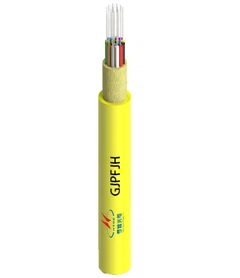
The FTTH drop cable is the final fiber segment that runs from the nearest distribution point to the subscriber's premises. Drop cables are designed specifically for last-mile access - they are typically lighter, more flexible, and optimised for easy routing along building exteriors, through ducts, or overhead. The choice between indoor and outdoor drop cable designs depends on the installation environment and local building conditions.
FTTH Architecture: PON vs AON

Two primary architectures are used to build FTTH networks: Passive Optical Networks (PON) and Active Optical Networks (AON).
What Is PON (Passive Optical Network)?
PON uses unpowered optical splitters in the field to distribute signals from a single OLT port to multiple subscriber ONTs. Because the splitters do not require electrical power, field maintenance is simpler and operating costs tend to be lower. The ITU-T G.984 GPON standard supports downstream speeds of up to 2.5 Gbps shared among users on a single PON port, while the newer XGS-PON standard (ITU-T G.9807.1) extends this to symmetrical 10 Gbps.
PON has become the dominant architecture for large-scale FTTH deployments worldwide. Its strength lies in efficiently serving many subscribers from a single fiber with relatively low outside plant complexity.
What Is AON (Active Optical Network)?
AON uses electrically powered switching equipment in the distribution network to route traffic to individual users. Each subscriber typically gets a dedicated fiber or a dedicated port on a field-located active switch. AON can offer dedicated bandwidth per user, but it requires power and maintenance at intermediate points in the network.
Neither architecture is inherently superior. PON is widely preferred for residential FTTH at scale because of its cost structure and operational simplicity. AON may be appropriate in enterprise environments or in specific deployment scenarios where dedicated per-user bandwidth is a priority.
FTTH vs FTTP vs FTTB vs FTTC vs FTTN: What Is the Difference?

All of these are FTTx variants - they describe how far fiber extends before another transmission medium takes over. The differences are straightforward but often blurred in marketing materials.
| Term | Fiber Endpoint | Final Segment to User |
|---|---|---|
| FTTH (Fiber to the Home) | Individual home or unit | Fiber all the way |
| FTTP (Fiber to the Premises) | Premises (umbrella term) | Can include FTTH and sometimes FTTB |
| FTTB (Fiber to the Building) | Building basement or distribution room | Copper, Ethernet, or coax to individual units |
| FTTC (Fiber to the Curb/Cabinet) | Street cabinet near the property | Copper for the last several hundred metres |
| FTTN (Fiber to the Node) | Neighbourhood node | Copper for a longer final segment, often 1 km+ |
FTTH vs FTTB vs FTTC: Which One Applies to Your Property?
For a detached single-family house, FTTH is the clearest scenario: fiber runs directly to an ONT installed at or inside the home.
For an apartment building or multi-dwelling unit (MDU), the distinction between FTTH and FTTB depends on exactly where the fiber terminates. If the operator runs fiber only to a distribution room in the basement and then uses Ethernet switches or copper cabling to reach each apartment, the deployment is FTTB. If each apartment has its own ONT with a dedicated fiber path, that is closer to a true FTTH architecture - even within a building.
In older neighbourhoods where full fiber buildout is not yet feasible, FTTC or FTTN may be used as transitional approaches, with plans to extend fiber deeper over time. The key takeaway: not all "fiber broadband" is the same. The architecture behind the marketing label determines the actual performance and upgrade potential of the connection.
Benefits of FTTH
FTTH offers several advantages rooted in its end-to-end fiber architecture.
Higher bandwidth capacity. Because fiber carries data as light pulses rather than electrical signals, it supports far greater bandwidth than copper-based last-mile connections. Current GPON technology delivers up to 2.5 Gbps downstream, while XGS-PON supports symmetrical 10 Gbps - and emerging standards like 50G-PON push this further without replacing the fiber plant itself.
Consistent performance over distance. Copper signals degrade significantly over distance. Fiber maintains signal integrity over far greater spans - GPON supports physical reach of up to 20 km between OLT and ONT. This makes FTTH performance much more predictable regardless of how far the subscriber is from the central office.
Symmetrical speed potential. Unlike many cable or DSL connections that offer much slower upload than download speeds, FTTH networks - particularly those using XGS-PON - can deliver symmetrical bandwidth. This matters for video conferencing, cloud backup, content creation, and any application that depends on upstream capacity.
Long-term scalability without replacing fiber. According to the FTTH Council Europe, fiber broadband is the only access technology with the capacity to support rising speed demands without requiring upgrades to the outdoor fiber cabling itself. Operators upgrade the electronics at each end - OLT and ONT - while the fiber in the ground remains unchanged.
Support for bandwidth-intensive environments. FTTH is well suited for households with multiple simultaneous users, streaming, remote work, smart home devices, and low-latency applications. It is also a strong foundation for emerging services like telehealth, cloud gaming, and augmented reality.
FTTH Deployment Challenges and Limitations
FTTH is not without practical challenges. Evaluating them honestly is part of making a sound infrastructure decision.
Cost and Civil Works
The largest barrier to FTTH deployment is the cost and complexity of running fiber to every premises. This involves trenching, duct installation, rights-of-way permits, and significant installation labour. In greenfield (new construction) projects, FTTH is relatively straightforward to include. In brownfield (existing infrastructure) areas, the cost and disruption can be substantially higher - which is why some operators initially deploy FTTC or FTTB as intermediate steps.
Building Retrofit Constraints
Older buildings frequently present challenges for FTTH installation: limited duct space, legacy internal cabling that cannot easily be replaced, shared ownership structures that complicate access decisions, and restrictive building codes. In a multi-story apartment block, getting fiber from the building entry point to each individual unit may require routing through existing risers, installing new vertical wiring pathways, or using micro-duct and blown-fiber techniques to minimise disruption.
FTTH Installation Inside the Home
Even when the FTTH network reaches the premises flawlessly, the end-user experience depends on what happens after the optical handoff. Poor router placement, outdated in-home Ethernet cabling, or inadequate Wi-Fi coverage can create bottlenecks that negate the advantages of the fiber connection itself. This is a common source of user frustration - the access link performs well, but the in-home distribution does not.
How to Tell Whether Your Connection Is True FTTH
Many broadband services use the word "fiber" in their branding, but the underlying architecture may not be FTTH. Here is how to verify what you are actually getting.
Check where the fiber terminates. Does an optical fiber cable run all the way to your home or apartment, or does it stop at a street cabinet, building basement, or utility pole? If there is a copper, coaxial, or Ethernet segment between the provider's fiber network and your premises, it is not FTTH.
Look for an ONT or ONU at the premises. A dedicated optical terminal device inside or on the outside wall of your home is a strong indicator of a true FTTH connection. If the connection arrives via an Ethernet cable from a switch in the corridor or basement, the deployment is more likely FTTB.
Ask the provider directly. Specifically request confirmation of whether the service is FTTH, FTTB, or another FTTx variant. Marketing terms like "fiber-powered," "fiber-ready," or "fiber broadband" do not necessarily mean FTTH. The architecture matters more than the brand name.
Understand the difference between access and in-home distribution. Even with a confirmed FTTH connection, check how the signal is distributed inside the premises. The FTTH link delivers bandwidth to the ONT; after that, your router and local network determine the experience at each device.
Questions to Ask a Provider or Project Planner
- Does fiber reach each individual unit, or only the building entry point?
- What medium is used in the final segment - fiber, Ethernet, coax, or copper?
- What device is installed at the customer premises (ONT, ONU, or media converter)?
- Is the network based on GPON, XGS-PON, or another standard?
- What speeds are achievable on the access link versus the in-home Wi-Fi?
FTTH vs Cable Internet: Which Is Better?
Comparing FTTH with cable internet requires looking beyond headline download speeds. Cable (DOCSIS) networks use coaxial cable for the last mile and share bandwidth among users on the same segment. During peak hours, that shared capacity can lead to congestion and speed drops.
FTTH, particularly in PON configurations, also shares upstream fiber capacity among subscribers - but the available bandwidth pool is substantially larger. A GPON port provides 2.5 Gbps downstream shared among up to 32 or 64 users, while XGS-PON raises that to 10 Gbps. Cable networks using DOCSIS 3.1 can theoretically reach similar downstream figures, but practical deployment speeds and upstream capacity typically fall well below what FTTH delivers.
More importantly, FTTH offers a clearer upgrade path. Because fiber capacity is limited by the electronics rather than the medium itself, operators can upgrade to faster standards (XGS-PON, 25G-PON, 50G-PON) without replacing the fiber infrastructure. Cable upgrades often require more extensive plant changes.
FAQ
Q: Is FTTH The Same As FTTP?
A: Not exactly. FTTP (Fiber to the Premises) is often used as a broader umbrella term that can include both FTTH and FTTB deployments. FTTH specifically means fiber reaches the individual home or residential unit. When evaluating a service, it is worth clarifying whether "FTTP" in a given context means true home-level fiber or includes building-level deployments.
Q: Does FTTH Use Copper Anywhere In The Connection?
A: In a true FTTH deployment, no copper is used in the access path between the provider's OLT and the subscriber's ONT. After the ONT, the signal is distributed via Ethernet cable or Wi-Fi inside the home, which involves standard copper Ethernet cabling - but that is the local network, not the access link.
Q: Is FTTH The Same As Wi-Fi?
A: No. FTTH is the access technology that delivers bandwidth to the premises. Wi-Fi is a local wireless distribution method used inside the home or building. You can have FTTH with poor Wi-Fi, or excellent Wi-Fi over a non-FTTH connection. They operate at different layers of the network.
Q: What Is The Difference Between An ONT And An ONU?
A: Both terms refer to customer-premises optical equipment that terminates the fiber connection. ONT (Optical Network Terminal) is the term used primarily in ITU-T standards like GPON, while ONU (Optical Network Unit) appears more often in IEEE standards. In residential FTTH, both terms describe essentially the same function: converting the optical signal into Ethernet or other electrical interfaces for the subscriber's local network.
Q: Does FTTH Guarantee Faster Speeds Than Cable Or DSL?
A: FTTH provides a higher-capacity access platform, but actual speeds depend on the service plan, the PON standard used, the number of subscribers sharing a PON port, and the quality of the in-home network. In terms of architecture and upgrade potential, FTTH offers clear advantages in bandwidth ceiling, upstream capacity, latency, and long-distance consistency compared to both cable and DSL connections.
Q: Can FTTH Support Symmetrical Upload And Download Speeds?
A: Yes. While GPON is asymmetrical (2.5 Gbps down, 1.25 Gbps up), XGS-PON supports symmetrical 10 Gbps. Whether a specific subscriber gets symmetrical speeds depends on the operator's service plan and the PON standard deployed.