

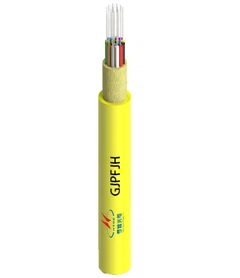


Cleaning fiber optic cable with dedicated tools and strict methods ensures you maintain reliable network performance. Even a tiny bit of dust or oil can disrupt your signal, cause permanent damage, or shorten the lifespan of your fiber optic cables.
Regular cleaning of fiber optic cables is essential for maintaining optimal signal performance and extending the longevity of the cables. Contaminants such as dust, oils, and other particles can severely degrade performance by causing signal loss, increased attenuation, and even permanent damage to the cables.
Both home users and professionals experience significant benefits from a routine cleaning schedule. Consider these findings:
|
Source |
Percentage of Failures Due to Contamination |
Notes |
|---|---|---|
|
HTI Martin Technical Research |
80% of network owners, 98% of contractors |
Experienced failures during installation |
|
Customer Survey |
85% |
Contaminated end-faces leading cause |
|
USCONEC |
80% of network owners, 98% of installers |
Cited contamination as root cause |
Follow a step-by-step process and use only approved cleaning products to protect your investment and ensure consistent results.
Key Takeaways
- Regularly clean fiber optic cables to maintain optimal signal quality and prevent costly damage. Even small contaminants can disrupt performance.
- Use specialized cleaning tools and solutions, like spectroscopic-grade isopropyl alcohol, to effectively remove dust and oils without leaving residues.
- Follow a systematic cleaning process: inspect connectors, dry clean first, then wet clean if necessary, and always re-inspect after cleaning.
- Avoid household cleaners as they can introduce harmful residues. Stick to products designed specifically for fiber optics to ensure safety and effectiveness.
- Establish a routine maintenance schedule to reduce the risk of signal loss and extend the lifespan of your fiber optic cables.
Why Clean Fiber Optic Cable

Signal Quality
You rely on fiber optic cable for fast, reliable data transmission. Even minor contamination can disrupt your network. Dirty connectors are a leading cause of failures in telecom installations. Clean connectors and end faces ensure robust connections, especially when you need high-speed Internet.
Contaminants like dust, fingerprint oils, and polishing scratches degrade signal quality. The table below shows how different contaminants impact performance:
|
Contaminant Type |
Effect on Signal Quality |
|---|---|
|
Dust Particles |
Raises insertion loss by 0.2 dB to 0.5 dB per mated pair |
|
Fingerprint Oils |
Increases return loss, leading to signal attenuation |
|
Polishing Scratches |
Contributes to unexpected loss and reflections |
|
Static Charges |
Attracts additional contaminants, worsening signal degradation |
Static charge can attract dust and dirt to the connector end-face, causing further signal loss. Increased reflectance from static charge interferes with data integrity. Signal attenuation from accumulated charge lowers data transmission rates.
Regular cleaning and maintenance help prevent these issues, keeping your fiber optic cables performing at their best.
Preventing Damage
Neglecting to clean fiber optics can lead to costly repairs and permanent damage. Dust or chemical contamination on connectors impedes light transmission. You may notice lower link speeds, frequent connection retries, higher optical loss, and degraded performance with high latency.
If you plug a contaminated connector into another device, you risk damaging both the connector and the optical transceiver.
Common symptoms of contamination include:
- Poor signal quality
- Increased optical loss
- Frequent path changes on host multipath connections
- Port metrics issues such as link failures and invalid CRC counts
Environmental factors and accidental contact can introduce contamination, making regular cleaning essential for protecting your investment.
Safety
Cleaning fiber optic cables requires careful attention to safety. You must avoid exposure to harmful laser radiation and potential injuries from glass shards. Contamination of fiber surfaces can degrade signal quality and cause equipment failure.
Follow these safety steps:
- Power off the unit before cleaning.
- Disable other power and light sources.
- Never look into the end of an operating optical interface.
- Do not remove covers from transceivers while they are operating.
- Avoid unauthorized alterations to optical devices.
Tip: Always use proper tools and follow manufacturer guidelines to protect yourself and your equipment.
Fiber Optics Cleaning Tools

Choosing the right cleaning tools is essential for maintaining the integrity and performance of your fiber optic cables. You need specialized equipment designed to remove microscopic contaminants that can disrupt signal transmission and damage connectors.
Cleaning Kits
Professional cleaning kits offer a complete solution for fiber optics cleaning. These kits typically include lint-free pads, cleaning cassettes, swabs, and high-purity cleaning fluids. You benefit from using kits that feature connector cleaners, which remove even the smallest dust particles and prevent insertion loss.
Here are some popular options you might consider:
- One-Click Fiber Optic Cleaner Pen for MPO/MTP Connectors (600 cleans)
- FOC-KCC-550 Fiber Optic Cleaning Cassette for LC/SC/FC/ST/MU/D4/DIN MTP/MPO Connectors
- One-Click Fiber Optic Cleaner Pen for 2.5mm SC/FC/ST Connectors (800 cleans)
- FOC-125 One-Click Fiber Optic Cleaner Pen for 1.25mm LC/MU Connectors (800 cleans)
Clean connectors and end faces are crucial for high-level performance in networking systems. Regular maintenance with dedicated kits ensures optimal data transmission and reduces the risk of costly repairs.
You should avoid household cleaning products. These can leave residues, introduce moisture, or fail to remove oils and particulates. Dedicated cleaning kits use materials and solutions tested for compatibility with fiber optic components.
|
Product Type |
Description |
Importance in Fiber Optics |
|---|---|---|
|
Cleaning Wipes |
Pre-moistened with solutions for cleaning connectors. |
Convenient and effective in removing contaminants. |
|
Cleaning Cassettes |
Feature a reel of cleaning ribbon for multiple uses. |
Cost-effective for large-scale cleaning needs. |
|
Cleaning Swabs |
Specialized tools for precise cleaning in hard-to-reach areas. |
Essential for maintaining clean connections for data transmission. |
Isopropyl Alcohol
Spectroscopic-grade 99% isopropyl alcohol is the industry standard for cleaning fiber optic connectors. You should use this grade because it evaporates quickly, leaves no conductive or corrosive residues, and dissolves oils and particulates effectively. Lower purity alcohols can cause micro-corrosion and slow drying, which may compromise connector performance.
|
Advantage |
Explanation |
|---|---|
|
Quick evaporation |
Reduces the risk of moisture contamination. |
|
No conductive or corrosive residues |
Ensures that the connector surface remains clean and functional. |
|
Effectively dissolves oils and particulates |
Allows for reliable cleaning of ferrule end faces, ensuring optimal performance. |
|
Avoids residue from lower purity alcohols |
Prevents issues like increased drying time and potential micro-corrosion inside the ferrule. |
Mechanical Cleaners
Mechanical push-activated cleaners provide a fast and reliable way to clean connector end-faces. You simply push the cleaner against the connector, listen for the audible 'click,' and let the optical grade cleaning tape rotate around the ferrule to absorb contaminants. These devices work with a wide range of connectors, including SC, FC, ST, LC, MU, Duplex LC, and MPO.
|
Feature |
Description |
|---|---|
|
Cleaning Mechanism |
One push action that quickly cleans the end-face of connectors. |
|
Effectiveness |
Effectively removes oil, dust, and dirt particulates that can damage connectors. |
|
Cost Efficiency |
Low cost per clean option, providing a fast and easy cleaning solution. |
|
Compatibility |
Suitable for various single and multi-fiber connectors including SC, FC, ST, LC, MU, Duplex LC, and MPO. |
Mechanical cleaners offer consistent results and minimize the risk of human error. You can rely on these tools for both routine maintenance and troubleshooting.
Tip: Always select cleaning tools designed specifically for fiber optics cleaning to ensure the highest level of performance and reliability.
Cleaning Steps for Fiber Optic Cable
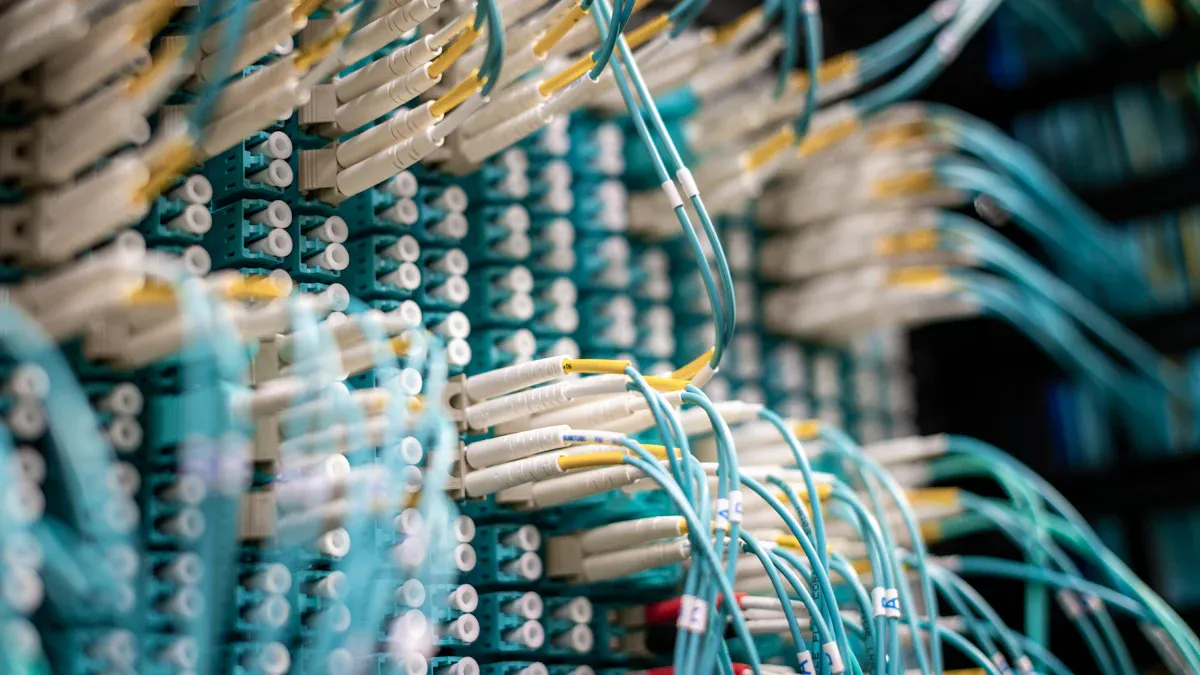
Cleaning fiber optic cable requires a systematic approach to prevent contamination and maintain high-performance connections. You should follow each step carefully to ensure the cleaning process delivers optimal results.
Inspect Connectors
Before you begin the cleaning process, always inspect both sides of every connector. Even new connectors can carry dust or oils that affect performance. Use a fiberscope or a microscope equipped with a fixture and light source for a thorough visual inspection.
- Inspect both male and female connectors before mating.
- Clean all connectors, including those straight from the package.
- Use a microscope with a fixture and light source for best results.
Dirty connectors can cause high connector loss and reflectance. Studies show that 15-50% of network problems stem from dirty connectors. Improper cleaning methods may add more contamination instead of removing it.
The IEC standard 61300-3-35 outlines visual inspection techniques for end-face quality. Following this standard helps you minimize contamination and maintain reliable fiber optic cable performance.
Dry Cleaning
Dry cleaning is often the first step in the cleaning process. This method works well for light dust and loose particles.
Follow these steps for effective dry cleaning:
- Choose the right cleaning technique for your connector type and contaminant.
- Work in an enclosed area to reduce airborne dust.
- Wipe the outside of the mated pair before disconnecting.
- Clean inspection tools and adapters to avoid cross-contamination.
- Wash your hands thoroughly before handling connectors or cleaning supplies.
- Avoid using moisturizer before cleaning to prevent transferring oils.
- Never use clothing to wipe the end-face, as it introduces more dirt.
- Use high-quality, lint-free wipes and swabs to prevent linting.
- Dispose of wipes and swabs after each use to avoid recontamination.
Tip: Use ultra-pure, nonflammable, static-dissipating cleaning fluid in a hermetically sealed container for best results.
Dry cleaning with mechanical push-activated cleaners or lint-free wipes removes most loose contaminants. However, for stubborn residues, you may need to use wet or combination methods.
Wet Cleaning
Wet cleaning targets oils, static charges, and stubborn particles that dry cleaning cannot remove.
You should use spectroscopic-grade 99% isopropyl alcohol or a high-purity cleaning fluid. Apply a small amount to a lint-free wipe or cleaning ribbon.
- Use mechanical clickers and stick cleaners for precise application.
- For MT Termini, wipe the stick in a single vertical direction.
- For single fiber Termini, rotate the stick 6 to 8 times in the same direction.
- Clean both male and female MPO connectors thoroughly.
Regular wet cleaning helps maintain optimal performance and reliability of fiber optic cables. Always use fresh, reagent-grade alcohol and avoid over-wetting, which can leave residue.
Combination Methods
- The combination cleaning method, often called the wet-to-dry technique, delivers the most thorough results.
- Dampen a lint-free wipe with high-purity cleaning fluid, then immediately follow with a dry wipe in a single direction. This process removes oils and minimizes static charge, reducing the risk of recontamination.
- Combination cleaning is especially effective for cleaning contaminated connectors and maintaining high-level performance in networking systems. You should use this method when dry or wet cleaning alone does not achieve the desired cleanliness.
- Regular cleaning of fiber connectors and end faces ensures your system remains top-notch and reliable.
Re-inspect
After completing the cleaning process, always re-inspect the connector end faces. Use a fiber inspection scope or a digital fiber inspector to verify cleanliness and detect any remaining contamination.
Here is a comparison of recommended inspection tools:
|
Tool Name |
Purpose |
|---|---|
|
Fiber Inspection Scopes |
Detect contamination and damage on fiber connector end faces. |
|
FI-7000 FiberInspector™ Pro |
Store end face images and provide Pass/Fail indications by standards. |
|
FI-500 FiberInspector™ Micro |
Ensure fiber cable integrity by inspecting for contaminants. |
Routine re-inspection helps you maintain clean connectors and reliable connections. The cleaning process is not complete until you confirm the absence of contaminants.
Note: The International Electrotechnical Commission (IEC) and SAE Aerospace standards highlight the risks of contaminated connectors and the importance of proper cleaning fiber connectors procedures.
By following these cleaning steps, you protect your fiber optic cables from performance loss and costly repairs. Consistent application of the cleaning process ensures your optic network remains efficient and dependable.
Safety & Mistakes

Safety Tips
You must always prioritize safety when working with fiber optic cables. Manufacturers recommend several protocols to protect you and your workspace. The table below outlines essential safety steps:
|
Safety Protocols |
Description |
|---|---|
|
Keep it clean |
Prevent injury from glass fragments by maintaining cleanliness. |
|
Wear safety glasses |
Shield your eyes from fiber shards. |
|
Use a disposable apron |
Stop fiber splinters from sticking to clothing. |
|
No food or beverages |
Avoid accidental ingestion of fiber particles. |
|
Ensure ventilation |
Prevent inhalation of airborne glass particles. |
|
Proper disposal |
Use labeled containers for fiber scraps. |
|
Maintain clearance |
Reduce fire hazards near heat sources. |
|
Clean up daily |
Control fiber fragments and keep the area safe. |
|
Understand chemicals |
Review MSDS for safe handling of cleaning agents. |
|
Be aware of environment |
Stay alert to workspace hazards. |
|
Use the right tools |
Never look directly into fiber cables to protect your eyes. |
Tip: Always power off modules before cleaning and use only approved tools for fiber optic maintenance.
Common Errors
Many users make mistakes during cleaning that can lead to poor connections or even damage. You should avoid these frequent errors:
- Skipping inspection before cleaning often results in missed contamination.
- Using household cleaners can leave residues and cause long-term connector issues.
- Not cleaning before splicing increases the workload for fusion splicers and degrades splice quality.
- Failing to clean fiber end-faces shortens the lifespan of splicer electrodes and raises signal losses.
- Using the wrong cutting tools damages fibers and affects the quality of your connections.
Note: Industry data shows that contaminated fiber end-faces remain a leading cause of optic network failures.
Handling Components
Proper handling of fiber optic components prevents contamination and extends the life of your system. Even unused cables can collect dust or condensation, so you should always clean connectors before making any connections. Follow these best practices:
- Handle connectors by the housing to avoid touching the end-face.
- Keep connectors capped when not in use to block dust.
- Inspect connectors with a microscope before connecting.
- Clean connectors regularly, regardless of their previous use.
You should also recycle waste materials like cable sheaths and jackets when possible. Dispose of hazardous items, such as alcohol wipes, according to local regulations. These steps help you maintain a safe and efficient workspace.
Troubleshooting & Clean Fiber Optics Maintenance

Persistent Issues
You may encounter signal problems even after cleaning your fiber optic cable. In these cases, you need to follow a structured troubleshooting process. Start by inspecting all connectors and cabling for faults. Use a fiber optic microscope to check for any remaining contamination. If issues persist, test components with a visual fault locator (VFL) or an optical time domain reflectometer (OTDR). These tools help you pinpoint the source of the problem.
|
Step |
Description |
|---|---|
|
1 |
Use diagnostic tools to identify the source. |
|
2 |
Inspect physical network components. |
|
3 |
Perform repairs or adjustments as needed. |
You should always verify that connectors are properly seated and cables are free from bends or stress. Regular troubleshooting increases your chances of resolving issues quickly and maintaining optimal fiber optic cable performance.
When to Seek Help
Sometimes, cleaning and basic troubleshooting do not resolve the problem. You should consult a professional if you notice physical damage to your fiber optic cable or if you lack the specialized tools required for repair. Professionals possess deep technical knowledge and access to industry-grade equipment. They can assess your infrastructure and apply the correct methods to restore network performance. Quick identification and expert repair minimize downtime and prevent further complications. Complex fiber optic networks often require professional intervention to preserve integrity and reliability.
Maintenance Tips
Consistent maintenance keeps your fiber optic cable clean and functional. Industry experts recommend several best practices:
- Use cleaning tools and solutions designed for fiber optics.
- Train staff on proper cleaning techniques to avoid damage.
- Stay updated on the latest standards and best practices.
- Clean and inspect connectors during installation as a preventive measure.
- Always use dustcaps on connectors and clean the ferrule each time you remove the cap.
- Clean patch cords before every use.
- Monitor temperature and humidity in your environment.
- Protect cables from UV light and minimize physical stress from vibrations.
Regular maintenance reduces the risk of signal loss and costly repairs. Studies show that networks with scheduled cleaning and inspection experience up to 60% fewer outages compared to those with irregular maintenance routines. You can reference guidelines from organizations such as the International Electrotechnical Commission (IEC) and the Fiber Optic Association for authoritative advice [1][2].
Tip: Establish a cleaning schedule and document each maintenance activity to ensure long-term reliability of your fiber optic cable system.
[1] IEC 61300-3-35: Fiber Optic Connector Endface Visual Inspection Standard
[2] Fiber Optic Association: Maintenance Best Practices
You protect your fiber optic cable by following these steps: inspect connectors, use dry or wet cleaning methods, and always re-inspect before reconnecting. Investing in proper tools and regular maintenance prevents costly repairs and keeps your network reliable. Clean fiber optics deliver fast, stable data and reduce downtime. Most transmission issues come from dirty connectors, so you should check and clean fiber optic cables regularly to maintain top performance.
Regular cleaning costs less than repairs from neglect, saving you time and money.
FAQ
Why should you avoid household cleaners for fiber optic cable maintenance?
Household cleaners contain chemicals and residues that can damage connectors. You need specialized cleaning solutions to remove microscopic contaminants and protect signal quality. Using the wrong products increases the risk of permanent damage and costly repairs.
Why do you need to inspect connectors before cleaning?
Inspection helps you identify contamination and physical damage. You prevent spreading dirt and avoid unnecessary cleaning steps. Using a fiberscope or inspection microscope ensures you only clean what needs attention, saving time and maintaining optimal performance.
Why is regular cleaning important for fiber optic cable reliability?
Regular cleaning removes dust, oils, and static charges that degrade signal transmission. You maintain high-speed data flow and reduce outages. Consistent maintenance extends the lifespan of your fiber optic cable and lowers the risk of expensive downtime.
Why should you re-inspect after cleaning fiber optic connectors?
Re-inspection confirms that you removed all contaminants. You verify connector integrity and prevent signal loss. This step ensures your cleaning process was effective and helps you maintain a reliable network.
Why is professional help sometimes necessary for fiber optic cable issues?
Complex problems may require advanced diagnostic tools and expertise. You benefit from professional assessment when cleaning and basic troubleshooting do not resolve signal loss or physical damage. Experts restore performance and prevent further complications.