





Fiber optic cable patch cord- How to Choose Length, Jacket, Mode
Selecting the right fiber optic cable patch cord is important. It affects your network's safety, reliability, and efficiency. You need to think about length, jacket, and mode. Each part changes how you install and use the cable. In office buildings and campus networks, short multimode cords work well. They help move data quickly. Data centers need LSZH jackets for fire safety. These jackets lower toxic fumes. Connector type and jacket color coding are helpful. They stop mistakes and make sure cables fit together. Ruggedized options keep cables safe in tough places. This lowers the chance of needing repairs.
|
Environment |
Key Criteria |
|---|---|
|
Office Buildings |
Multimode cords for short reach and fast data transfers |
|
Campus Networks |
Multimode cords for quick data transfer |
|
Data Centers |
LSZH jackets for fire safety |
|
Telecommunications |
Criteria change based on use and safety needs |

Key Takeaways
Picking the right length for your fiber optic cable patch cord stops signal loss. It also makes upgrades easier later. Always measure the cable path carefully. Add 10-20% more length for slack. This helps the cable fit well. Choose the right jacket material for your environment. This protects your cables from harm. It also meets safety rules. Know the difference between single-mode and multimode cables. This helps match your network's distance and bandwidth needs. Use color coding for jackets. This lets you spot cable types fast. It helps you avoid mistakes when setting up. Pick the right connector type for your devices. This keeps your network working well. Think about ruggedized patch cords for tough places. They lower repair costs and make your network stronger. Follow a checklist when choosing fiber optic cable patch cords. This helps you pick the best ones for your needs.
Length Selection
Picking the right length for your fiber optic cable patch cord is important. It helps keep connections strong and makes fixing things easier. You should measure how far your cables need to go. Make sure to leave some extra length, called slack. Choose a length that fits your space. This guide will show you each step. It helps you avoid mistakes and get your network ready for upgrades.
Measuring Distance
Measuring correctly is the first step to a good fiber optic setup. You need to follow steps to stop expensive mistakes.
Tools for Measurement
There are different tools to help you measure cable runs at work:
- Use a measuring tape or a laser meter. Trace the cable path, including turns and changes in height.
- Think about adding a service loop for future changes.
- Figure out how much slack you need. Add 10-20% more length for slack.
- Add up the measured length, service loop, and slack. This gives you the total cable length you need.
Tip: Measure the path as you will install it, not just a straight line. This helps you get the right length.
Avoiding Errors
Wrong measurements can cause problems and cost more money. The table shows what happens if you pick the wrong cable length:
|
Consequence |
Description |
|---|---|
|
Insufficient Cable Length |
You might not reach the end points. This can cause connection problems. |
|
Excessive Slack |
Too much slack can hurt performance and damage the cable. |
Check your measurements twice. Make sure the path is correct before you order your cable.
Allowing Slack
Slack is important for fixing and upgrading your network. It gives you room to work and keeps cables safe.
Best Practices
- Use the 'three-finger' rule. This means no more than 5 inches of slack for patch cords.
- Do not use too much slack. Many places have about 20 inches of slack, which is too much.
- Note: Too much slack makes it hard to manage cables. It can also bend or crush the cable.
Upgrade Considerations
When you plan upgrades, you should:
Keep 10-15% extra length for the whole cable path. This helps when you change or add equipment.
Think about how your network might grow. Pick cable lengths that can fit new devices or changes.
Standard Lengths
Companies sell fiber optic patch cords in many standard lengths. These sizes work for most offices and factories.
Typical Ranges
Here are common standard lengths you can buy:
|
Length (m) |
|---|
|
0.5 |
|
1 |
|
5 |
|
10 |
|
20 |
|
30 |
|
50 |
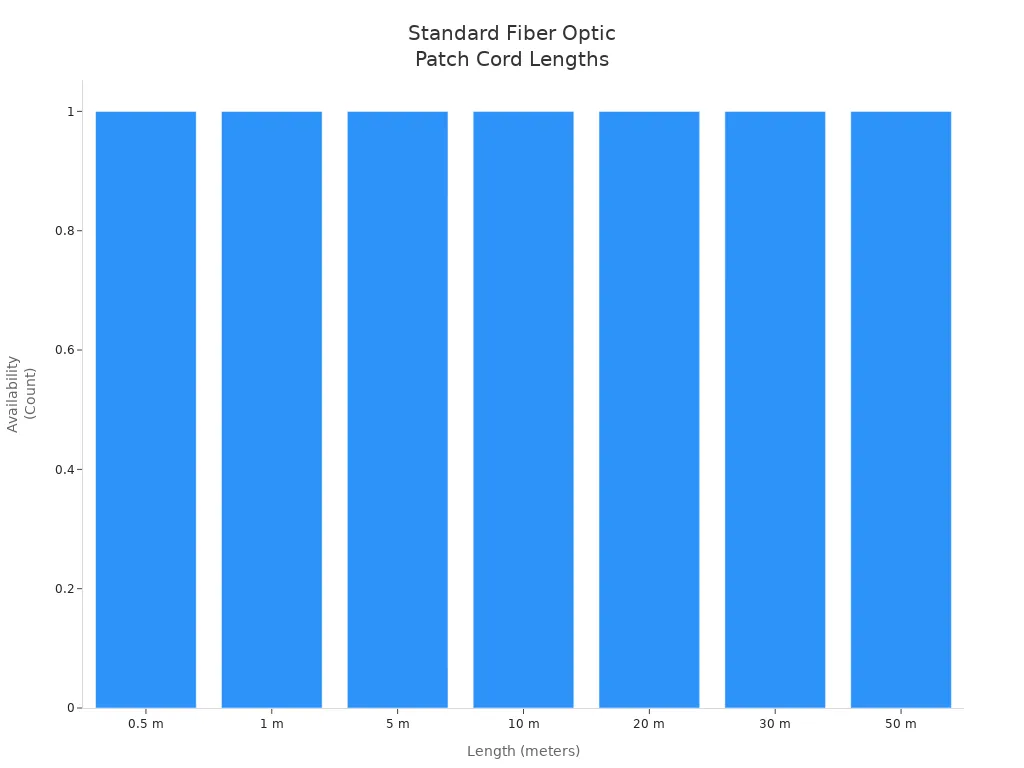
You can pick from these sizes for most offices, data centers, and FTTH setups.
Custom Options
Sometimes you need a special cable length:
|
Scenario |
Explanation |
|---|---|
|
Specific network configurations |
Custom lengths help your network work better and lower signal loss. |
|
Future expansions |
You may need new cable lengths as your network grows. |
|
Equipment changes |
Custom cables fit new equipment and help manage cables. |
Keep 10-15% extra length for the cable path to stop problems.
Think about future changes when you pick your cable length.
Custom cable lengths help you manage cables well and keep your network working for a long time.
Jacket and Ruggedization

Indoor vs Outdoor
Picking the right jacket for your fiber optic cable patch cord is important. You need to think about where you will put the cable. The jacket must match the place to keep your network safe and follow rules.
Environmental Risks
Cables outside face more dangers than cables inside. You have to think about temperature changes, wetness, dust, sunlight, chemicals, and shaking. These things can hurt cables and make signals weak.
|
Environmental Factor |
Impact on Performance |
|---|---|
|
Temperature |
Very hot or cold weather can make fiber stretch or shrink. This can break the cable or make the signal weak. |
|
Humidity |
Lots of water in the air can cause water to build up. This can make the signal weak or cause rust. |
|
Dust and Dirt |
Dust can pile up and make the signal weaker. |
|
UV Radiation |
Sunlight can slowly damage fiber and make it break. |
|
Chemical Exposure |
Some chemicals can break or damage the fiber. |
|
Vibration and Shock |
Shaking or bumps can break the fiber or loosen connectors. |
Cables inside do not have as many problems. But you still need to keep them safe from bending, crushing, and fire.
Safety Standards
You must follow safety rules to keep your network safe. Indoor cables often need to pass fire safety tests like IEC 60332, ITU-T L.87, and IEEE 383. Outdoor cables must be tested for water, sunlight, and strength. Telecom companies want cables that pass these tests to lower risks and avoid trouble.
|
Feature |
Indoor Fiber Cables |
Outdoor Fiber Cables |
|---|---|---|
|
Tensile Strength |
Not as strong |
Stronger for pulling and stretching |
|
Protective Layer |
Thinner layer |
Thicker, sometimes armored |
|
Weight |
Lighter and cheaper |
Heavier because of extra layers |
|
Usage |
Good for wiring inside buildings |
Used for burying, pipes, poles, and water |
Jacket Materials
There are different jacket materials you can pick. Each one gives a different level of safety, fire protection, and follows different rules.
PVC
PVC jackets are good for indoor fiber optic cable patch cord use. They are strong and bend easily. PVC can stop flames but does not work well in very hot places or in the sun. Use PVC in offices, schools, and data centers where fire safety matters but the weather is not extreme.
|
Characteristics |
PVC |
|---|---|
|
Fire Resistance |
Low |
|
Smoke Production |
Moderate |
|
Toxicity |
Moderate |
|
Regulatory Compliance |
Rules change; may have plasticizers |
LSZH
LSZH jackets stop fire and are not toxic. Pick LSZH for places with strict fire rules like hospitals, airports, and telecom rooms. LSZH meets IEC 60754 and IEEE 1202 rules. It makes little smoke and no bad gases in a fire, so people and equipment stay safer.
|
Characteristics |
LSZH |
|---|---|
|
Fire Resistance |
High |
|
Smoke Production |
Low |
|
Toxicity |
Low |
|
Regulatory Compliance |
Follows safety rules |
OFNP
OFNP jackets give the best fire safety. You need OFNP for places like air vents where air moves around. OFNP passes the hardest tests, like NFPA 262 and UL 910. It stops flames, makes almost no smoke, and does not let out bad gases.
|
Characteristics |
OFNP |
|---|---|
|
Fire Resistance |
High |
|
Smoke Production |
Low |
|
Toxicity |
Low |
|
Regulatory Compliance |
Follows plenum rules |
Tip: Always check your local building rules before picking a jacket. Using the wrong jacket can cause problems and cost you money.
Ruggedized Patch Cords
Ruggedized fiber optic cable patch cord choices keep your network safe in tough places. Use them in factories, outside telecom spots, and military bases.
Mechanical Protection
Ruggedized patch cords have armored jackets and extra layers. These parts protect cables from animals, scraping, people, and big machines. You get stronger cables that last longer.
|
Benefit |
Description |
|---|---|
|
Physical Protection |
Armored jackets keep cables safe from animals, scraping, and people. This lowers the chance of damage and network stops. |
|
Reliability |
These cables send signals far with little loss. They are good for important jobs where data must be safe and steady. |
|
Security |
Armored OSP patch cords help stop tampering and keep data safe. This keeps your information private. |
|
Versatility |
You can use them outside, in factories, for the military, on trains, and at outdoor events. |
|
Ease of Installation |
Even though they are tough, armored OSP patch cords are easy to put in. You can use them in many outdoor jobs. |
Use Cases
Pick ruggedized patch cords for:
- Outdoor telecom networks with weather and animals
- Factories with big machines
- Military and train networks that need more safety
- Outdoor events with lots of people
Note: Ruggedized fiber optic cable patch cord choices help you spend less on repairs. They help your network work better and last longer.
Jacket Color Coding
Jacket color coding helps you quickly tell fiber optic cable patch cord types apart. Using the right colors lowers mistakes during setup and makes fixing things faster. Color codes also help your team avoid mixing up cables. This stops problems like downtime or weak signals. In places like data centers, telecom networks, and big campuses, clear color rules make cable management easier and keep the network strong for a long time.
|
Color Code |
Fiber Type |
|---|---|
|
Orange |
Multimode Fiber |
|
Yellow |
Single-Mode Fiber |
|
Aqua |
OM3 and OM4 Multimode |
|
Green |
OS2 Single-Mode Fiber |
|
Blue |
Polarization-Maintaining Fiber |
|
Violet |
Laser-Optimized Multimode Fiber |
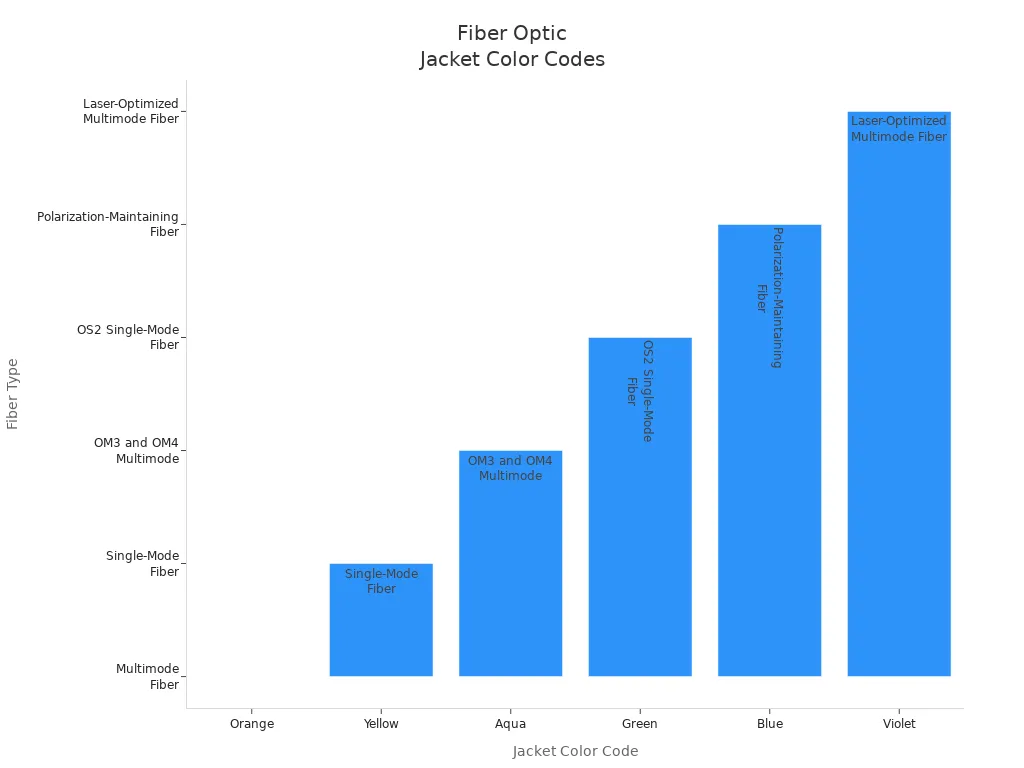
Tip: Always look at the jacket color before you connect or change a fiber optic cable patch cord. This easy step helps you avoid big mistakes and keeps your network working well.
Yellow for Single-mode
Single-mode fiber optic cable patch cords have yellow jackets. The yellow color is easy to see in racks and trays. These cables send data far with little signal loss. Telecom workers and data center staff use yellow jackets to keep single-mode and multimode cables separate. If you use the wrong cable, your network can stop working or cost a lot to fix.
- Yellow jackets show single-mode fiber.
- You use these cables for long, fast links.
- Looking for yellow saves time when you upgrade or fix things.
Note: Using yellow jackets everywhere in your building helps stop mix-ups and follows industry rules.
Orange for Multimode
Orange jackets mean multimode fiber optic cable patch cords. You see these in local networks, campus wiring, and short data links. Orange is different from yellow, so your team can spot multimode cables fast. This lowers the chance of using the wrong cable, which can cause slow speeds or network stops.
- Orange jackets show multimode fiber.
- These cables work for short or medium distances.
- Color codes help your team work faster and make fewer mistakes.
Using orange jackets for multimode cables saves money by making repairs easier and stopping network problems.
Why does jacket color coding matter for your business?
- You can spot fiber types right away.
- You make sure cables are connected right.
- You stop confusion when setting up or fixing cables.
- You lower the chance of mistakes and network stops.
Clear jacket color coding in your fiber optic cable patch cord choices helps your team work better, protects your money, and lets your network grow easily.
Mode Selection
Picking the right mode for your fiber optic cable patch cord is very important. It helps your network work well and last a long time. You need to choose between single-mode and multimode cables. Think about how far you want to send data, how much data you need to move, and if your devices work with the cable. This choice changes how strong your network is, how much you spend on repairs, and if you can upgrade later.

Single-mode vs Multimode
Core Diameter
Single-mode cables have a small core, about 9 microns wide. Multimode cables have bigger cores, usually 50 or 62.5 microns. The small core in single-mode lets light go straight. This means less signal loss over long distances. Multimode cables let light bounce inside. This works for short runs but not for long ones.
Transmission Distance
You need to pick the right cable mode for how far your network goes. Single-mode fiber can send data much farther than multimode. The table below shows how far each type can go and how much data it can carry:
|
Cable Type |
Maximum Distance |
Bandwidth |
|---|---|---|
|
Single-Mode Fiber |
Up to 180 km |
Higher bandwidth |
|
Multimode OM1/OM2 |
Up to 2 km |
Lower bandwidth |
|
Multimode OM3 |
Up to 2 km |
2000 MHz-km |
|
Multimode OM4/OM5 |
Up to 2 km |
4700 MHz-km |
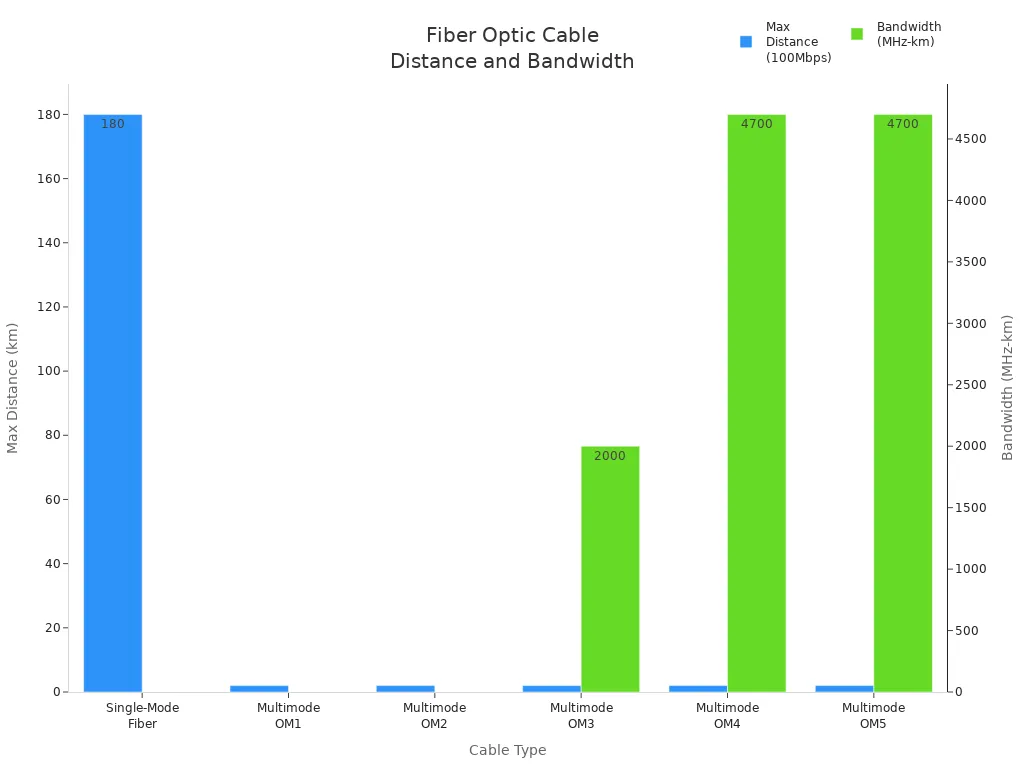
Single-mode cables can send more data and go farther. They are good for big networks and telecom jobs. Multimode cables cost less and work well for short spaces, like inside data centers.
Application Matching
Equipment Compatibility
You should check your devices before picking a fiber optic cable patch cord. Some devices only work with single-mode or multimode cables. Mode conditioning patch cords help connect different types. They are useful for Gigabit Ethernet. These cords stop errors and keep your data safe.
Typical Scenarios
Single-mode cables are used in campus networks, telecom systems, and TV stations. Multimode cables are best for short runs in offices and data centers. Here are some common uses:
- Data centers: Connect servers and switches for fast data.
- Telecommunications: Send voice, video, and data far away.
- Local Area Networks (LANs): Give high speed and steady links.
- Industrial automation: Work well around machines and noise.
- Broadcasting: Carry clear video and sound.
- Military and aerospace: Keep data safe for important jobs.
- Healthcare: Help medical machines send images.
- Education: Link computers and network gear.
Color Identification
Visual Checks
Color coding helps you know the cable mode fast. Always look at the jacket color before you use the cable. The table below shows what the colors mean:
|
Color |
Fiber Type |
|---|---|
|
Orange |
Multimode Fiber (MMF) |
|
Aqua |
OM3/OM4 Multimode Fiber |
|
Yellow |
Single-Mode Fiber (SMF) |
|
Blue |
Various purposes |
|
Green |
Various purposes |
Single-mode cables have yellow jackets. Multimode cables have orange or aqua jackets. This system helps you avoid mistakes and fix problems faster.
Error Prevention
You can stop mistakes by following the color rules. Orange means multimode, yellow means single-mode. Aqua and lime green show new multimode types. Always match the cable color to your plan. This stops network problems and saves money.
Tip: Use color-coded cables in racks and trays. This makes fixing and upgrading easier. Looking at colors saves time and keeps your network safe.
Connector Type
Picking the right connector type for your fiber optic cable patch cord is very important. You need to make sure the connectors match your equipment. This helps your network work well and stay reliable. If you use the wrong connector, your network might stop working. You could lose signal or spend more money fixing things. It is important to know the main connector types and how they fit your needs.
Common Connectors
There are different connector types used in fiber optic cable patch cord setups. Each one works best in certain places and for certain jobs.
LC
LC connectors are small and simple to use. They are common in data centers and new network gear. Their small size lets you put more connections in a small space. LC connectors help you save space and keep cables neat.
SC
SC connectors are steady and have low signal loss. You see them in telecom and datacom jobs. Their push-pull design makes them easy to plug in and take out. SC connectors are good for patch panels and main network lines.
ST
ST connectors are tough and strong. They are used in factories and the military. Their bayonet-style lock keeps them in place, even if things shake or move. ST connectors help your network work well in hard places.
Tip: Use LC connectors for lots of connections in small spaces. Pick SC connectors for steady links in telecom. Choose ST connectors for places that need tough cables.
|
Connector Type |
Typical Application |
Key Benefit |
|---|---|---|
|
LC |
Data centers, modern networks |
High density |
|
SC |
Telecom, backbone, patch panels |
Stability, low loss |
|
ST |
Industrial, military, harsh sites |
Robustness |
|
MTP/MPO |
Data centers, multi-fiber links |
High capacity |
Device Compatibility
You need to make sure your connector type matches your equipment. This keeps your network working well and stops mistakes.
Matching Connectors
Always look at the connectors on your patch panels and devices before you buy fiber optic cable patch cords. If your device has LC ports, use LC patch cords. If it has SC ports, use SC patch cords. Sometimes, you need cables with different connectors on each end, like LC to SC or LC to FC.
- LC to LC cables fit LC ports on both sides.
- SC to SC cables fit SC ports.
- LC to FC cables connect LC and FC ports.
The fiber type-single-mode or multimode-also matters when picking connectors. Make sure your connector fits both the device and the fiber type.
Avoiding Mismatches
If you use the wrong connectors, your network can have big problems. You might get high return loss, which means light bounces back and makes noise. This can make your network less reliable. If connectors do not fit, you get high insertion loss, which means you lose more signal and your network works worse.
- Different connector types do not fit together.
- If connectors do not match, you may need special cables or new gear.
- High return loss and insertion loss make your network weaker.
Note: Always check connector types before you set up your cables. Matching connectors helps you avoid problems, saves money, and keeps your network strong.
Why does connector type matter for your business?
- You stop network outages and expensive fixes.
- You make your network more reliable and keep signals strong.
- You can upgrade and grow your network later.
- You lower risks and protect your money.
Picking the right connector type for your fiber optic cable patch cord helps you build a network that works well and lasts a long time.
Fiber Optic Cable Patch Cord Performance
Picking a fiber optic cable patch cord helps your network work well. Good patch cords make your network strong and fast. They help stop problems that can cost money.

Construction Quality
Materials
You should check what materials are in your patch cords. Top brands like PLP, AFL, and CommScope use the best stuff. This makes patch cords last longer and work better. Good materials stop signal loss and keep cables safe.
|
Material/Standard |
Description |
|---|---|
|
Quality Materials |
Made with top materials from trusted brands |
|
Factory Termination |
All cords are finished and tested at the factory |
|
Compliance |
TAA / GR-326 rules are followed |
Low Insertion Loss (IL) and Optical Return Loss (ORL) help your network stay fast.
Manufacturing Standards
You need patch cords that meet strict rules. Bad cables can make your network slow or not work. Dirty connectors can cause weak signals or even stop data. Good connectors and clean cables are important.
- Factory-tested patch cords lower mistakes when you set up.
- Clean connectors help you avoid fixing problems later.
Tip: Ask your supplier for test reports to check quality.
Specification Review
Data Rate
Your patch cord must match your network's speed. New networks need fast and steady connections. The table shows how much data different fiber types can handle:
|
Fiber Type |
Core Size |
Data Rate Support |
Applications |
|---|---|---|---|
|
Single-Mode Fiber |
8-10μm |
Very high bandwidth, over 80km |
Big networks, FTTH backbones |
|
Multimode Fiber |
50μm or 62.5μm |
OM4/OM5: 400G Ethernet up to 150m, OM3: 10G-40G |
Data centers, office networks |
Always check if your patch cord supports the speed and distance you need.
Certification
Certifications show your patch cords are safe and work well. Look for these before you buy:
- ISO 9001 and ISO 14001 for good quality and care for the environment.
- TAA and GR-326 for shape and material rules.
- Connectors that follow strict rules to lower signal loss.
Note: Certified patch cords help you avoid problems and save money.
When you pick a certified fiber optic cable patch cord, you protect your network. You make sure your business can grow and work without trouble.
election Checklist
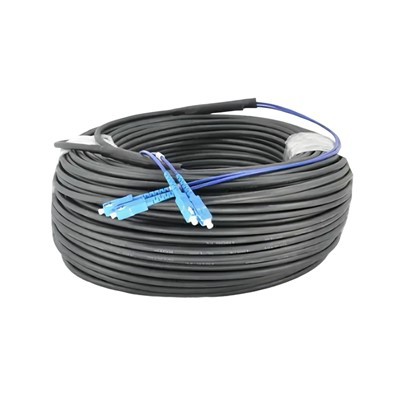
Picking the right fiber optic cable patch cord keeps your network safe. It also helps you spend less money fixing problems. You need a simple checklist to help you choose. This guide shows you each step so you do not make mistakes. It helps your network work well every day.
Step-by-Step Guide
Requirements
First, write down what your network needs. This helps you pick the right cable and not waste money.
- Find out which connector types your devices use.
- Check if you need single-mode or multimode fiber.
- Measure how long the cable should be, and add extra for slack.
- Pick the mode type that fits your speed and distance needs.
- Choose the best jacket material for where you will use the cable, like indoor, outdoor, LSZH, or OFNP.
- Count how many fibers your network needs.
- Look at performance specs, like insertion loss and return loss.
- Decide how much you want to spend and think about long-term use.
Tip: Write your needs down before talking to sellers. This makes it easier to compare cables and not get confused.
Vendor Criteria
You need a good vendor to get strong cables and help when needed. Check each vendor using these points:
- Has many connector and fiber types to pick from.
- Sells different cable lengths and mode types.
- Offers cables with many jacket materials and fiber counts.
- Gives clear specs and test results for their cables.
- Has a good name in the business.
- Offers a good warranty and help after you buy.
- Fits your budget and can deliver on time.
|
Vendor Evaluation Criteria |
Why It Matters |
|---|---|
|
Connector & Fiber Types |
Makes sure cables fit your devices |
|
Cable Lengths & Modes |
Matches your network plan |
|
Jacket Materials |
Keeps cables safe from damage |
|
Performance Specs |
Helps your network work well |
|
Vendor Reputation |
Lowers the chance of bad cables |
|
Warranty |
Protects your money and cables |
Compatibility Validation
Testing
You must check that your cable works with your network. This stops problems and saves money later.
- Test the cable with your real equipment before using it everywhere.
- Follow rules for setting up and handling cables.
- Keep fiber cables away from copper cables to stop problems.
- Use supports and do not bend or press the cable too much.
- Clean the connectors before you use them to keep signals strong.
Note: Testing in your own space helps you find problems early and makes sure everything works together.
Certification
- Always look for certifications before you buy cables. Certified cables are safer and work better.
- Check for ISO, TAA, and GR-326 certifications.
- Make sure cables pass fire and environment safety rules.
- Ask sellers for test results and proof of safety.
- Certified cables help you follow rules and lower your risk.
If you use this checklist, you make better choices and keep your network safe. You also save money and stop network problems before they start.
Picking the right fiber optic cable patch cord helps your network work well. You should think about the length, jacket, mode, and connector type. This keeps your system strong and ready to grow. If you follow a step-by-step plan, your network works better and costs less to fix. You can stop problems and help your cables last longer.
- Good choices mean you spend less fixing things and save money.
- Your network works better with fewer problems and less signal loss.
- Smart picks make it simple to grow your network later.
Check the checklist before you buy anything. This helps you keep your business safe, spend less, and build a network that lasts a long time.
FAQ
Why should you choose the correct length for a fiber optic cable patch cord?
Picking the right length stops signal loss and mess. You do not waste cable. It is easier to fix things later. The right length helps when you upgrade your network. It also keeps your setup tidy.
Why does jacket material matter for fiber optic cable patch cords?
Jacket material keeps your cable safe from fire and chemicals. It also protects from getting hurt by things hitting it. The right jacket keeps you safe and follows building rules. It helps your cable last longer and saves money on new cables.
Why do you need to match the mode of your fiber optic cable patch cord?
You must match the mode to your equipment. This means single-mode or multimode. If you do not match, you can lose signal or have network stops. Using the wrong mode can cost a lot to fix and make your network slow.
Why is connector type important in fiber optic cable patch cords?
Connector type must fit your devices. If it does not fit, you get errors and lose signal. The right connector makes setup fast and keeps your network working well.
Why should you follow color coding for fiber optic cable patch cords?
Color coding helps you know cable types fast. You make fewer mistakes when setting up. It is easier to fix problems. Using color rules keeps your network neat and working well.
Why do ruggedized fiber optic cable patch cords matter in harsh environments?
Ruggedized patch cords do not crush or break easily. They keep out water and handle shaking. These cables protect your network in tough places like factories or outside. They help you spend less on repairs and keep your network strong.
Why is certification important when buying fiber optic cable patch cords?
Certified cables follow safety and quality rules. You lower risk and pass checks. Certification means you can trust your cables to work for a long time.
Why should you test fiber optic cable patch cords before full deployment?
Testing makes sure cables work with your gear. You find problems early and stop big network stops. Good testing keeps your network running well from the start.