





Which optic cables suit home networks
Your home network demands have changed. Streaming 4K content to multiple devices, handling video calls, cloud gaming, and smart home systems all simultaneously isn't optional anymore-it's Tuesday. The US added 10.3 million fiber-passed homes in 2024, bringing the national total to 88.1 million premises (Source: marketgrowthreports.com, 2025), signaling a massive shift toward fiber infrastructure. But here's the problem: choosing the wrong fiber optic cable for your home network means you'll either overpay for capacity you'll never use or bottleneck your network just when you need it most. This guide eliminates that guesswork by mapping cable types to actual home use cases, revealing which specifications matter and which are marketing fluff.
Cable Type Fundamentals: Single-Mode vs. Multimode for Residential Use
The fundamental split in fiber optic cables isn't about brand or price-it's about physics. Understanding this distinction prevents expensive mistakes before you even browse products.

Single-Mode Fiber: The Long-Distance Champion
Single-mode cables (designated OS1 and OS2) use a narrow core measuring 8-10 microns in diameter. Light travels in essentially one path through this tiny core, enabling transmission distances exceeding 10 kilometers without signal degradation. OS2 represents higher-performing, low water peak single-mode glass (Source: usa.proterial.com, 2023).
For home networks, single-mode presents a paradox. The technology excels at exactly what homes rarely need-extreme distance. Unless you're wiring a compound with multiple buildings separated by hundreds of meters, single-mode's advantages don't apply. The real consideration? Single-mode requires laser-based transceivers that cost significantly more than LED-based multimode equipment.
When single-mode makes sense for homes:
Property spans over 300 meters
Planning for 10+ year future-proofing with potential 100Gbps+ speeds
Already invested in single-mode infrastructure from ISP connection point
Budget accommodates $200-500 per transceiver instead of $30-80
Multimode Fiber: The Residential Sweet Spot
Multimode cables propagate multiple light modes simultaneously through a larger 50 or 62.5 micron core. This seems like a limitation until you realize residential distances typically measure 5-100 meters-well within multimode's comfort zone.
The multimode family includes five designations: OM1, OM2, OM3, OM4, and OM5. Each represents progressive improvements in bandwidth and transmission distance. OM1 typically features an orange jacket with a 62.5µm core, while OM2 also uses 62.5µm cores but with improved specifications (Source: avaccess.com, 2023). OM3 and OM4 both employ 50µm cores with OM4 supporting 10 Gigabit Ethernet out to 550 meters (Source: usa.proterial.com, 2023).
Most homes should focus exclusively on OM3 or OM4 cables. OM1 and OM2 represent outdated technology that struggles with modern 10Gbps requirements. OM5, while technically superior, adds cost without benefit for typical home distances.
Matching Cable Specifications to Home Network Requirements
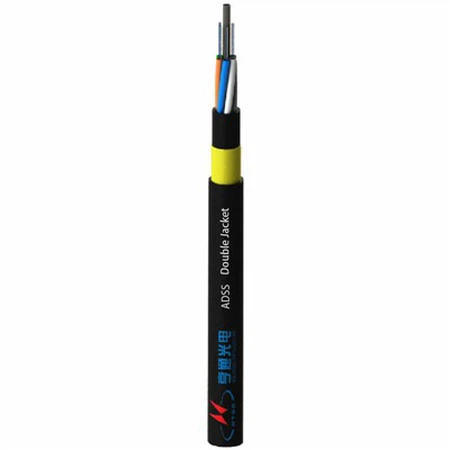
The cable market loves overwhelming buyers with specifications. Let's cut through which specs actually impact your home network performance.
Bandwidth Requirements by Use Case
Basic Home Office (1-2 Users): Minimum requirement: 1Gbps sustained Comfortable specification: OM3 cable Why: Video conferencing, cloud file sync, and basic streaming consume 50-200Mbps combined. OM3 supports 10Gbps to 300 meters, providing 10x overhead for growth.
Media Enthusiast Household (3-5 Users): Minimum requirement: 2.5-5Gbps aggregate Comfortable specification: OM3 or OM4 cable Why: Multiple 4K streams (25Mbps each), gaming (50-100Mbps), and simultaneous cloud backups quickly saturate gigabit connections. OM4's extended distance capability adds flexibility for cable routing through walls and ceilings without signal concerns.
Power User / Small Office Setup: Minimum requirement: 10Gbps dedicated links Required specification: OM4 cable Why: Network-attached storage (NAS) transfers, real-time video editing over network, and multi-gig internet connections demand full 10Gbps capacity. OM4 reliably delivers this to 550 meters.
Smart Home Integration: Here's an interesting finding-fiber rarely benefits IoT devices directly. Most smart home systems use WiFi or Zigbee for endpoints. Fiber's role involves connecting WiFi access points and network switches that serve these devices. An OM3 backbone supporting strategically placed access points solves most smart home networking needs.
Distance Considerations Within Homes
Calculate your longest required cable run before purchasing. Measure from network equipment location (typically utility room or basement) to the furthest connection point. Add 20% for routing around obstacles and future flexibility.
Under 100 meters: OM3 or OM4 both work perfectly. Choose based on price.
100-300 meters: OM4 recommended for 10Gbps applications. OM3 remains viable for 1Gbps links.
Over 300 meters: Consider single-mode if running 10Gbps+, or stick with OM4 for 1Gbps connections. Few residential properties require this distance.
Common home distances:
Main floor to basement: 10-20 meters
House to detached garage: 15-50 meters
Multi-story internal runs: 20-40 meters
Property to gate/outbuilding: 50-200 meters
Cost Analysis: What You'll Actually Pay
Fiber optic cable pricing confuses buyers because costs vary dramatically based on strand count, jacket rating, and connector type. Let's establish realistic budgets.
Cable Material Costs
Fiber optic cables range from $0.09 to $1.52 per foot and $0.3 to $5 per meter, with prices varying based on type and specifications (Source: accutechcom.com, 2024). Bulk purchasing significantly reduces costs through manufacturer discounts.
Typical retail pricing for home-suitable cables:
OM3 cable (duplex, indoor rated):
50ft: $25-45
100ft: $45-75
200ft: $80-130
Per foot cost in bulk: $0.40-0.65
OM4 cable (duplex, indoor rated):
50ft: $35-55
100ft: $60-95
200ft: $110-160
Per foot cost in bulk: $0.55-0.80
OS2 single-mode cable (duplex, indoor rated):
50ft: $30-50
100ft: $55-90
200ft: $100-150
Per foot cost in bulk: $0.50-0.75
Price per foot including installation ranges between $1 and $6 depending on fiber count (Source: costowl.com). However, DIY installations using pre-terminated cables eliminate installation labor entirely.
Connector and Transceiver Costs
Pre-terminated cables include connectors, but transceiver costs catch many buyers off-guard.
LC connector transceivers (most common home use):
1Gbps SFP multimode: $15-30 each
10Gbps SFP+ multimode (OM3/OM4): $45-85 each
10Gbps SFP+ single-mode (OS2): $200-450 each
You need two transceivers per link (one at each end). A 10Gbps OM4 connection requires $90-170 in transceivers alone, while equivalent single-mode jumps to $400-900.
Total Project Cost Examples
Scenario 1: Basic Home Office
100ft OM3 cable: $60
2x 1Gbps SFP transceivers: $40
2x managed switches with SFP ports: $180
Total: $280
Monthly internet cost savings from WFH: $0 (existing service sufficient)
Payback period: Immediate quality-of-life improvement
Scenario 2: Multi-Building Property
500ft outdoor-rated OM4 cable: $350
2x 10Gbps SFP+ transceivers: $140
2x 10Gbps switches: $600
Professional installation (optional): $800
Total DIY: $1,090 / Professional: $1,890
Alternative (mesh WiFi extenders): $400-600 with degraded performance
Value proposition: Superior performance, no wireless interference
Scenario 3: Future-Proof Whole Home
600ft OM4 cable (3 runs): $480
6x 10Gbps SFP+ transceivers: $420
3x 10Gbps managed switches: $900
Cable management supplies: $150
Total: $1,950
Alternative (Cat6a copper to similar points): $900-1,200
Added value: Eliminates electromagnetic interference, supports upgrades to 40Gbps+ without recabling
Installation Realities: DIY vs. Professional Approaches
The perception that fiber optic installation requires specialized expertise is both true and false-it depends entirely on your approach.
Pre-Terminated Cables: The DIY Game-Changer
Modern pre-terminated fiber cables eliminate field termination entirely. Manufacturers install connectors in controlled environments using precision equipment, then test each cable before shipping. For home installations, this approach offers multiple advantages:
Reliability: Factory terminations achieve insertion loss below 0.3dB consistently. Field terminations by even skilled technicians vary from 0.3-1.0dB.
Time savings: Running pre-terminated cable takes 30-60 minutes per connection. Field termination adds 45-90 minutes per endpoint plus equipment costs ($500-1,500 for fusion splicer or mechanical termination kit).
Cost effectiveness: Pre-terminated cables cost 20-40% more than raw cable but eliminate $150-300 in termination labor per endpoint.
Trade-off: Pre-terminated cables require careful route planning since you cannot pull connectors through small conduit holes. Maximum connector dimensions (LC connector assembly measures roughly 10x15mm) dictate minimum conduit size of 20mm internal diameter. Plan pull points carefully or use indoor/outdoor rated cables run externally where possible.
Professional Installation: When It Makes Sense
Professional installation typically costs $100-500 per visit for minor repairs or maintenance (Source: angi.com, 2025). Full-scale installations involve different economics.
Hire professionals if:
Running cable through walls requires cutting and patching drywall
Installation involves conduit burial or overhead cable spanning
Project requires more than 5-6 connection points
Warranty requirements mandate certified installation
Building codes require licensed contractors for communications wiring
Handle DIY if:
Using surface-mounted cable management (raceways, cable trays)
Running cables through unfinished basements or attics
Connecting 2-3 points with clear path
Comfortable working with basic hand tools
Common Installation Mistakes to Avoid
Exceeding bend radius: Fiber cable jackets specify minimum bend radius (typically 10x cable diameter). Tighter bends cause signal loss or physical damage. Use proper radius corners in cable management-sharp 90-degree turns work for copper, not fiber.
Ignoring jacket ratings: Indoor (riser-rated) cable cannot legally run outdoors or in plenum spaces. Outdoor-rated cable costs 40-60% more but includes UV protection and water resistance. Plenum-rated cable adds flame-retardant properties required in air-handling spaces. Using wrong jacket rating creates fire code violations and potential insurance issues.
Contamination: Fiber optic connections fail most often from dust and oil contamination. Each connector end requires cleaning before mating, even if new. Lint-free wipes and isopropyl alcohol solve this-cotton swabs don't.
Tension during installation: Pulling cable too hard permanently stretches glass fibers inside, causing signal loss months or years later. Most cables specify maximum pulling tension (typically 100-200 lbs). Use proper cable pulling lubricant and avoid dragging cables around sharp corners.
Performance Testing: Verifying Your Installation
Installing cable represents half the project. Verification ensures you achieve expected performance.
Basic Testing with Standard Equipment
Most home users can verify installation success without professional test equipment. Connect transceivers at both ends, link network equipment, then check connection status LEDs. Modern switches display link speed-verify you're achieving expected 1Gbps or 10Gbps negotiation.
Run speed tests between network-connected devices. Copy large files (10GB+) between computers or to/from NAS to measure sustained throughput. Expect 95-98% of theoretical bandwidth on properly installed links (950Mbps on 1Gbps connection, 9.5Gbps on 10Gbps link).
Warning signs of installation problems:
Link negotiates at lower speed than expected (1Gbps instead of 10Gbps)
Intermittent disconnections
Error counters incrementing on switch interfaces
Transfer speeds significantly below theoretical maximum
Professional Testing Methods
Fiber optic professionals use optical time-domain reflectometers (OTDRs) and power meters to measure insertion loss, return loss, and identify faults. These tools cost $3,000-15,000-justified for contractors but excessive for home installations.
If basic testing reveals problems, hiring a professional with proper test equipment costs $150-300 for troubleshooting visit. They'll identify specific cable damage, contamination, or faulty connectors, then recommend repairs.
Practical Application Scenarios
Abstract specifications matter less than real-world application matching. Here's how different households should approach fiber selection.
Scenario A: Standard Family Home
Profile: 2,400 sq ft two-story home, family of four, gigabit internet service, mixture of streaming, gaming, and work-from-home use.
Optimal solution: Single OM3 run from ISP router to basement network rack (25 feet), then OM3 runs to three ceiling-mounted WiFi access points on each floor (40-60 feet each).
Rationale: Current devices max out at 1Gbps. OM3 provides 10Gbps capacity for future WiFi 6E or WiFi 7 access points. Total cable requirement: 200 feet. Cost: $300 in cable plus $400 in compatible networking equipment.
Alternative considered: Running Cat6a copper would cost $180 in cable but limits future WiFi upgrades and creates electromagnetic interference concerns near home theater equipment. Fiber eliminates these issues for $120 additional investment.
Scenario B: Home Studio / Content Creator
Profile: Professional video editor, 4K/8K footage stored on 10Gbps-capable NAS, requires fast file transfers and real-time editing over network.
Optimal solution: OM4 star topology from main switch to NAS (15 feet), workstation (35 feet), and backup server (20 feet). All connections running 10Gbps.
Rationale: OM4 ensures reliable 10Gbps across all distances with margin for future expansion. Total cable requirement: 100 feet. Cost: $400 in cable plus $800 in 10Gbps networking equipment.
ROI calculation: Time savings transferring 200GB project files: 4K footage via 1Gbps = 27 minutes, via 10Gbps = 2.7 minutes. Daily time savings: 20-25 minutes = 8-10 billable hours monthly at freelance rates.
Scenario C: Multi-Dwelling Property
Profile: Main house plus guest cottage 200 feet away, require internet and local network access in both buildings.
Optimal solution: Outdoor-rated OM4 cable buried in conduit or aerial span between buildings. 10Gbps link provides full-speed internet access and allows cottage devices to access main house NAS.
Rationale: Wireless bridging at 200 feet faces interference issues and weather degradation. OM4 provides reliable 10Gbps regardless of environmental conditions. Total cable requirement: 250 feet. Cost: $450 in outdoor-rated cable, $600 in networking equipment, $400-800 in conduit/burial (DIY to professional).
Alternative considered: Separate internet service for cottage costs $60-100 monthly ($720-1,200 annually). Fiber solution payback: 16-24 months, then $720-1,200 annual savings plus unified network management benefits.
Future-Proofing Considerations
Technology evolution makes predicting future needs challenging. Smart infrastructure planning balances immediate requirements against probable future demands.
The 10-Year Technology Horizon
Current WiFi 7 access points theoretically support 46Gbps aggregate throughput. Practical multi-device scenarios might utilize 10-15Gbps. OM4 cabling supports 40Gbps to 150 meters and 100Gbps to 100 meters-well beyond current consumer equipment capabilities.
Installing OM4 today provides runway for at least one, possibly two major technology upgrade cycles before cabling becomes the limiting factor. This matters because recabling costs significantly more than upgrading endpoint equipment.
When to Overbuild Capacity
Overbuild (install higher specification than currently needed) when:
Cable routes involve finished walls requiring cutting/patching to access
Installation opportunity won't recur (renovation, new construction)
Marginal cost difference is small (OM3 to OM4 typically adds 20-30%)
Property planning horizon exceeds 7-10 years
Don't overbuild when:
Easy access exists for future recabling (unfinished basement, accessible attic)
Budget constraints require prioritizing current functionality
Technology direction remains uncertain (early adoption risk)
Rental property with limited tenure
Frequently Asked Questions
Can I mix OM3 and OM4 cables in the same network?
Yes, but connection speed will be limited by the lower-specification cable. If you connect devices with an OM3 cable on one link and OM4 on another, both operate at their respective capabilities. However, using OM3 and OM4 as part of a single long cable run (patch panels connecting different cables) means the entire path operates to OM3 specifications. For home networks, this rarely creates practical problems since distances stay well within OM3's capabilities.
How long do fiber optic cables last?
Properly installed indoor fiber optic cables last 20-30 years or more. The glass fiber itself doesn't degrade-failures typically involve connector contamination, jacket deterioration from UV exposure (outdoor cables), or physical damage. Outdoor cables should be inspected every 5-7 years for jacket integrity, particularly at stress points where cables attach to buildings. Most homes will upgrade networking equipment 2-3 times before cable replacement becomes necessary.
Do I need special tools to work with fiber optic cables?
Pre-terminated cables require zero special tools-just careful handling. If you're field-terminating or splicing fiber, you need either mechanical termination kits ($200-400) or fusion splicers ($500-8,000). For home installations, buying pre-terminated cables eliminates tool requirements entirely. The only specialty item worth owning is a fiber optic cleaning kit ($30-50) containing lint-free wipes and inspection tools.
Will fiber optic cables work with my existing network equipment?
Only if your switches and routers include SFP or SFP+ ports designed for fiber transceivers. Most consumer routers include only copper Ethernet ports. You'll need either managed switches with SFP ports or media converters ($40-80 each) that translate between fiber and copper connections. Check equipment specifications before purchasing cable-fiber capability isn't universal on consumer networking gear.
Can fiber optic internet service connect directly to fiber home network cabling?
Usually not directly. ISP fiber terminates in an ONT (optical network terminal) that converts optical signals to standard Ethernet copper. Your home fiber network connects to the ONT's Ethernet port just like any other device. Some enterprise-grade ISP services provide direct fiber handoff, but these require compatible equipment on your end-typically not cost-effective for residential applications.
What's the difference between simplex and duplex fiber cables?
Simplex cables contain a single fiber strand. Duplex cables include two fibers-one for transmit, one for receive-in a single jacket. Nearly all home networking uses duplex cables since bidirectional communication requires both transmit and receive paths. Simplex cables serve specialized applications like one-way video distribution. When shopping, assume you need duplex unless you have specific reason otherwise.
How do I choose between LC, SC, and ST connectors?
LC connectors dominate modern installations-they're smaller, easier to work with, and most current networking equipment uses LC-compatible transceivers. SC connectors appear on older equipment and some ISP ONTs. ST connectors represent legacy technology rarely seen in residential applications. Default to LC connectors unless you have existing equipment requiring different connector types. If mixing connector types, use appropriate adapter cables or patch panels.
Is outdoor-rated cable necessary for running between buildings?
Absolutely. Indoor cables lack UV protection and waterproofing-they'll degrade within months if exposed to sun and weather. Outdoor-rated cable costs 40-60% more but includes protective jacket materials that withstand environmental exposure for decades. If running cable between buildings, use either direct-burial rated cable in underground conduit or aerial cable designed for outdoor spans. Never use indoor cable outside, regardless of apparent protection from eaves or other structures.
Making Your Selection: A Decision Framework
You now have all the technical information. Here's how to actually choose.
Step 1: Map your physical requirements. Measure distances from network equipment location to each connection point. Add 20% for routing flexibility. This gives you total cable length needed.
Step 2: Define your bandwidth requirements. Are you running primarily 1Gbps connections (most homes), or do you need 10Gbps capacity for specific applications (NAS, media production)?
Step 3: Determine indoor vs. outdoor requirements. Any cable run exposed to weather requires outdoor-rated jacket. Indoor applications use cheaper indoor-rated cable.
Step 4: Calculate total cost:
Cable material (length × price per foot)
Connectors/transceivers (2 per connection)
Compatible switches (if current equipment lacks fiber ports)
Installation labor (if not DIY)
Step 5: Compare against alternatives. Would Cat6a copper serve your needs? Would upgrading internet service and using mesh WiFi solve the problem? Sometimes fiber isn't the answer-but when distance, bandwidth, or interference issues exist, fiber often provides the best solution.
The fiber optic cable market will continue evolving. The US fiber optic cable market projects growth from current levels toward $108.31 billion globally by 2029 at 6.5% annually (Source: thebusinessresearchcompany.com), driven by increasing bandwidth demands and 5G infrastructure buildout. For home networks, this growth translates to falling equipment costs and expanding product selection. Choosing OM4 today positions your network to benefit from this evolution without requiring disruptive recabling projects later.