

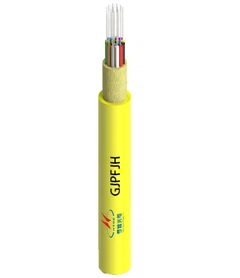


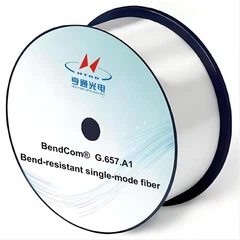

Custom fiber optic cable assemblies are used when a standard patch cable cannot fully match the route, connector interface, fiber count, installation environment, or testing requirements of a network project. For a simple rack-to-rack connection, an off-the-shelf jumper may be enough. For a data center trunk, FTTH rollout, outdoor route, industrial cabinet, or high-density MPO/MTP link, a custom-built assembly often gives the installation team better control before the cable reaches the site.
This guide explains how to choose custom fiber optic cables and assemblies, what affects cost and lead time, which specifications matter most, and what information to prepare before requesting a quote.

What Are Custom Fiber Optic Cable Assemblies?
A custom fiber optic cable assembly is a pre-built cable solution manufactured to match a specific network requirement. Instead of choosing only from standard lengths and connector combinations, the buyer can specify the fiber mode, connector type, cable length, fiber count, jacket material, breakout style, polarity, labeling, packaging, and testing requirements.
Custom assemblies may include duplex patch cords, multi-fiber assemblies, MPO/MTP trunk cables, breakout cables, pre-terminated drop cables, armored outdoor cables, or project-specific cable harnesses. The purpose is not to make the cable more complex than necessary. The purpose is to make the cable fit the real installation conditions.
For standard product references, buyers can review fiber optic cable assemblies and compare them with the exact layout, route, and performance needs of their project.

Custom Fiber Assemblies vs. Standard Patch Cables
The first decision is whether the project really needs a custom assembly. A standard patch cable is usually enough for short, simple, indoor connections. A custom assembly becomes more valuable when the cable is part of planned infrastructure, a high-density link, an outdoor route, or a project where field termination would add risk or delay.
| Option | Best For | Main Advantage | Main Limitation |
|---|---|---|---|
| Standard fiber patch cable | Short indoor rack connections, routine patching, common connector combinations | Fast to buy, simple to replace, cost-effective for common links | Limited lengths, jacket options, labeling, polarity, and breakout choices |
| Custom fiber optic cable assembly | Data center trunks, FTTH projects, industrial sites, outdoor routes, high-fiber-count cabling | Better fit for route length, connector interface, environment, testing, and documentation | Requires clearer specifications and may need drawing confirmation before production |

For example, a short LC to LC duplex cable assembly inside a cabinet may not require a special design. A 24-fiber outdoor trunk with branch legs, pulling protection, port labels, and test reports should not be treated as a simple patch cord order.
Why Choose Custom Fiber Optic Cable Assemblies?
The strongest reason to choose a custom assembly is control. A well-specified cable reduces uncertainty in routing, connection, testing, labeling, and installation. It also helps avoid last-minute field work when the project schedule is already tight.
Faster Installation with Pre-Terminated Cables
Pre-terminated fiber optic cables arrive with connectors already installed and tested. This reduces field termination work and gives installers a cleaner path: route the cable, connect the ends, verify the link, and document the result.
This is useful for data center cabinet links, telecom rooms, FTTH access points, enterprise backbone cabling, industrial control cabinets, and outdoor network expansion. In these projects, the cost of delays, troubleshooting, and rework can be higher than the price difference between a standard cable and a properly specified custom assembly.

Better Fit for Complex Network Layouts
Many fiber routes do not follow a straight line. A cable may pass through trays, ducts, risers, cabinets, patch panels, equipment rooms, or outdoor pathways. Custom assemblies allow the buyer to define the exact length, slack, breakout leg length, connector end, jacket type, and label sequence before production.
For data center projects, custom assemblies are often part of a broader connectivity plan. If your application involves high-density switching, server cabinets, or optical modules, it is worth reviewing data center connectivity solutions before choosing connector type and fiber count.
Main Types of Custom Fiber Optic Cable Assemblies
The right assembly type depends on application, space, transmission distance, cable route, and equipment interface. The following categories cover most com

mon project needs.
Simplex and Duplex Fiber Patch Cable Assemblies
Simplex assemblies use one fiber. Duplex assemblies use two fibers and are common for bidirectional links. They are often used for patching between panels, switches, optical modules, and network equipment.
LC connectors are common where high-density patching is needed. SC connectors are often found in telecom, access network, and FTTH environments. For SC-based links, a SC to SC duplex cable assembly may be more suitable than an LC assembly when it matches the installed equipment interface.
Multi-Fiber Cable Assemblies
Multi-fiber assemblies combine multiple fibers into one cable structure. They are useful when many links must be routed together between cabinets, patch panels, or equipment areas. Compared with many individual patch cords, a multi-fiber assembly can improve cable management and reduce pathway congestion.
For projects that require several LC or SC connections from one route, buyers should confirm fiber count, breakout method, leg length, connector order, and labeling before production.
MPO/MTP Trunk and Breakout Cable Assemblies
MPO/MTP assemblies are used when multiple fibers need to be connected through a compact interface. They are common in high-density networks, data center backbone cabling, 40G/100G/400G migration paths, and structured cabling systems where space and port mapping matter.
Buyers can compare MPO/MTP products when planning high-density cabling. If the link needs to fan out from an MPO interface to multiple LC ports, an MPO to LC fiber optic jumper cable may be the right structure.
Polarity must be confirmed before ordering MPO/MTP assemblies. Standards such as ANSI/TIA-568.3-E address optical fiber cabling performance, testing, measurement, and polarity requirements. If polarity is wrong, the transmit and receive paths may not align correctly, even when the cable looks physically correct.
Breakout, Armored, Outdoor, Burial, and Aerial Assemblies
Some projects need more than a connector change. A cable may need mechanical protection, UV resistance, moisture resistance, rodent protection, or a structure that can handle pulling through ducts or outdoor pathways.
For indoor distribution from a backbone route to several endpoints, breakout fiber optic cable can simplify branching. For underground routes, direct bury fiber optic cable may be required. For pole-to-pole or self-supporting routes, aerial fibre optic cable should be considered instead of a standard indoor cable.
How to Match Cable Type to Application
A practical way to select a custom assembly is to start with the installation scenario, not the connector. The same connector can behave very differently when used in a clean rack, an outdoor duct, or a high-density MPO trunk.
| Application | Recommended Assembly Type | Key Specifications to Confirm |
|---|---|---|
| Data center cabinet or backbone link | MPO/MTP trunk, MPO breakout, LC duplex assembly | Fiber count, polarity, port mapping, labeling, insertion loss, return loss |
| Enterprise equipment room | LC or SC duplex patch cable assembly | Fiber mode, connector type, length, jacket rating, patch panel interface |
| FTTH or access network | SC/APC or LC/APC drop cable assembly | Polish type, drop cable structure, outdoor/indoor route, bend performance |
| Outdoor conduit | Outdoor-rated or armored assembly | Moisture resistance, pulling conditions, jacket material, cable diameter |
| Direct burial route | Direct bury cable assembly | Crush resistance, water blocking, armor, installation depth, route protection |
| Aerial route | Aerial or self-supporting cable assembly | Span length, tensile strength, wind/ice conditions, messenger or ADSS structure |
| Industrial cabinet or harsh environment | Armored or ruggedized assembly | Abrasion resistance, crush protection, bend radius, connector protection |

Key Specifications to Decide Before Ordering
A clear specification makes quoting faster and reduces the chance of production errors. If a supplier has to guess the fiber grade, connector polish, polarity, or cable route, the first quote may not reflect the real project requirement.
Fiber Mode: Singlemode vs. Multimode
Singlemode fiber is usually selected for longer transmission distances, telecom networks, campus links, data center interconnects, and applications where future bandwidth growth is important. Multimode fiber is commonly used for shorter links inside buildings, equipment rooms, and data centers.
The Fiber Optic Association explains the two broad optical fiber categories in its fiber optics reference guide. In purchasing terms, the key point is simple: choose the fiber mode according to the installed equipment, transceiver type, distance, and existing network standard. Do not mix singlemode and multimode unless the network design specifically supports that combination.
If your project requires long-distance or carrier-grade links, review available single-mode fiber options. For indoor data center and enterprise links, multimode fiber may be suitable when the equipment, reach, and bandwidth requirements match.
Connector Type and Polish
Connector type should match the equipment interface and patch panel design. LC is common in high-density rack environments. SC is widely used in telecom and FTTH networks. FC and ST may appear in older systems, test environments, or specific industrial applications. MPO/MTP is used when many fibers must be connected through one compact interface.
Polish type also matters. UPC connectors are common in many data communication links. APC connectors are often used where lower reflection is needed, especially in some FTTH, PON, and video-related optical links. The connector and polish type should be confirmed together, not treated as separate details.
Fiber Count and Cable Construction
Fiber count should match current links and reasonable future expansion. A two-fiber duplex cable may be enough for a simple link. A 12-fiber, 24-fiber, 48-fiber, or higher-count assembly may be better for backbone cabling or high-density installations.
Cable construction should match the route. Tight-buffered cables are often used indoors. Loose tube structures are common in outdoor or longer-route cables. Ribbon cables support high fiber density. Breakout cables simplify routing to multiple endpoints. Armored cables protect against mechanical stress.
Length, Slack, and Route Conditions
Cable length should be based on the actual route, not the straight-line distance between devices. Include cable tray routing, cabinet entry, service loops, slack for maintenance, and any vertical or horizontal pathway changes.
For a high-fiber-count or outdoor cable, confirm bend radius, pulling direction, pulling eye requirements, reel packaging, and installation pathway before production. These details can affect both manufacturability and installation success.
Polarity, Breakout Style, and Labeling
Polarity is critical for duplex and MPO/MTP systems. Breakout style is equally important when one trunk cable branches into multiple connector legs. The supplier should know the connector order, leg length, fan-out protection, port numbering, and label format before manufacturing.
If the assembly will be installed by a field team that did not design the cable, clear labels can prevent hours of tracing and troubleshooting.
What Affects the Cost of Custom Fiber Optic Cable Assemblies?
The cost of custom fiber optic cable assemblies depends on material, connector complexity, labor, testing, packaging, and delivery requirements. Length matters, but it is rarely the only factor.
| Cost Factor | Why It Affects Price | Buyer Tip |
|---|---|---|
| Fiber count | More fibers require more material, termination work, inspection, and testing. | Choose enough capacity for future expansion, but avoid unnecessary high fiber counts. |
| Connector type | MPO/MTP, APC, and multi-leg assemblies usually require more precise handling than simple duplex cables. | Match connector type to equipment and patch panels before requesting a quote. |
| Cable jacket and protection | Armored, outdoor, direct burial, and aerial structures use additional materials and manufacturing steps. | Do not downgrade the jacket if the cable faces moisture, UV, pulling stress, or mechanical damage. |
| Breakout design | Fan-out legs, branch lengths, protection tubes, and labels add production detail. | Provide a drawing when breakout leg length or port mapping matters. |
| Testing and documentation | Insertion loss, return loss, polarity, end-face inspection, and serialized reports require time and equipment. | Request the level of testing needed for project acceptance, not just the lowest quote. |
| Packaging | Long cables, pulling eyes, reels, and individually labeled packages require extra handling. | Tell the supplier how the cable will be transported and installed. |
| Quantity and urgency | Small batches, special materials, and urgent production can increase unit cost. | Confirm the forecast quantity and target delivery date early. |
How Lead Time Is Determined
Lead time is usually determined by specification clarity, material availability, production complexity, and testing requirements. A common LC duplex assembly made from standard components can move faster than a special outdoor MPO breakout cable with custom labels and project documentation.
A Practical Production Flow
- Specification review: The supplier checks fiber mode, connector type, length, fiber count, jacket, and application.
- Drawing confirmation: Complex assemblies may need a cable drawing, especially for MPO/MTP, breakout, pulling eye, and labeling requirements.
- Material check: Standard fibers and connectors are usually faster to source than uncommon materials or special structures.
- Production and termination: The cable is cut, prepared, terminated, polished, and assembled according to the confirmed design.
- Inspection and testing: The assembly is checked for optical performance, polarity, continuity, and connector condition as required.
- Labeling and packaging: Labels, test reports, reels, protective packaging, or project-specific cartons are prepared before shipment.
For urgent projects, the fastest way to reduce delay is to provide a complete RFQ at the beginning. Missing polarity, uncertain jacket type, unclear route length, or incomplete breakout details can slow down approval before production even starts.
Testing and Documentation: What to Ask For
Testing should match the risk level of the project. A simple indoor patch cord may only need standard inspection and basic performance verification. A data center trunk, outdoor backbone, or project with formal acceptance requirements may need more detailed documentation.
Common items include insertion loss testing, return loss testing, polarity verification, continuity testing, end-face inspection, and serialized test reports. The fiber optic cable testing process should be confirmed before production when the assembly will be used in critical infrastructure.
Connector cleanliness is also important. The IEC standard IEC 61300-3-35 addresses inspection requirements for debris, scratches, and defects on fiber optic connector end

faces. In practical terms, a clean and properly inspected connector helps reduce avoidable link problems during installation.
How to Choose the Right Custom Fiber Assembly
Use the following process before placing an order.
Step 1: Define the Application
Start with the installation environment. Is the cable for a data center, telecom room, FTTH network, enterprise backbone, industrial site, outdoor duct, aerial route, or direct burial path? The application determines the cable structure before the connector is even selected.
Step 2: Confirm Distance, Bandwidth, and Equipment
Transmission distance and bandwidth help determine whether singlemode or multimode fiber is suitable. Equipment interfaces and transceiver types must also match the selected fiber. A cable that is optically wrong for the transceiver will not be fixed by choosing a better jacket or connector brand.
Step 3: Choose Connector Type and Fiber Count
Match the connector to the equipment and patch panel. Then choose a fiber count that supports current use and reasonable expansion. For high-density networks, MPO/MTP may reduce cable congestion. For simple equipment patching, LC or SC duplex assemblies may be easier to manage.
Step 4: Match the Jacket to the Environment
Indoor, outdoor, aerial, burial, and industrial routes have different risks. Choose jacket and protection level according to moisture, UV exposure, pulling tension, bending, fire rating, rodent risk, and mechanical stress. A cable that is cheap but poorly matched to the environment can become expensive after installation failure.
Step 5: Confirm Drawing, Labels, and Test Reports
For complex assemblies, do not rely only on a short email description. Ask for a drawing when the project includes MPO/MTP polarity, breakout legs, port mapping, pulling eye direction, reel packaging, or serial labels. Confirm the required test reports before production.
Common Mistakes to Avoid
Choosing Fiber Mode Without Checking the Existing Network
Singlemode and multimode fiber have different optical characteristics. The right choice depends on the transceiver, distance, bandwidth, and existing infrastructure. If the project is an extension of an existing network, confirm what is already installed before ordering new assemblies.
Ignoring MPO/MTP Polarity
MPO/MTP polarity is one of the most common sources of confusion in high-density cabling. Type A, Type B, Type C, and other polarity methods affect how transmit and receive fibers align. Always confirm the required polarity method and port map before ordering.
Using Indoor Cable in an Outdoor Route
An indoor cable may not withstand moisture, UV exposure, pulling conditions, or mechanical damage. For outdoor routes, select the cable structure according to the installation pathway, not only the connector type.
Ordering Without a Cable Drawing
A drawing is not always needed for simple patch cords, but it is strongly recommended for multi-fiber, breakout, MPO/MTP, outdoor, long-length, or project-labeled assemblies. It prevents misunderstanding about connector ends, branch lengths, labels, polarity, and packaging.
Requesting the Lowest Price Without Defining Testing
If one quote includes test reports, polarity verification, end-face inspection, labels, and protective packaging while another does not, the two prices are not equivalent. Define acceptance requirements before comparing suppliers.
RFQ Checklist for Custom Fiber Optic Cable Assemblies
- Before requesting a quote, prepare as much of the following information as possible:
- Application: indoor, outdoor, data center, FTTH, industrial, aerial, duct, or direct burial
- Fiber mode: singlemode or multimode
- Fiber grade: OS2, OM3, OM4, OM5, or other project requirement
- Fiber count
- Cable length, including route slack and service loops
- Connector type on each end
- Polish type: UPC or APC if required
- Cable construction: duplex, trunk, breakout, armored, outdoor, ribbon, tight-buffered, or loose tube
- Jacket material and rating
- MPO/MTP polarity and pin type if applicable
- Breakout leg length and connector order if applicable
- Labeling and port numbering requirements
- Testing and report requirements
- Packaging requirements, including reel, pulling eye, or individual bagging
- Quantity and target delivery date
- Drawing, network diagram, or sample photo if available
- If the project is ready for supplier review, send the specification, drawing, and quantity requirements through the contact page so the technical team can confirm feasibility, quote scope, and lead time.
FAQ
Q: What Is An FTTH Drop Cable Used For?
A: It connects the final section of the fiber access network to a home, office, optical outlet or ONT.
Q: What Is The Difference Between Indoor And Outdoor Drop Cable?
A: Indoor cable usually emphasizes flame performance, flexibility and easy routing. Outdoor cable requires the appropriate resistance to sunlight, moisture, temperature change and mechanical load.
Q: Is G.657A2 Always Better Than G.652D?
A: No. G.657A2 normally provides better bend performance, but the correct choice depends on route geometry, cable design, compatibility, project specifications and cost.
Q: Should I Choose FRP Or Steel Wire?
A: FRP is non-metallic and electrically insulating. Steel wire can provide strong tensile support at a competitive cost but is conductive. Select the member by tensile rating, route conditions and electrical-safety requirements.
Q: When Should I Use Pre-Terminated Cable?
A: Use it when installation speed, repeatable connector quality and rapid repair are priorities and the route length can be planned accurately.
Q: Can APC And UPC Connectors Be Connected Together?
A: They should not be directly mated in a production link. Their end-face geometries differ, which can create excessive insertion loss and reflection.
Q: Why Can Tight Coiling Increase Loss?
A: A small or irregular coil can create macro-bending or micro-bending. The resulting change in the optical path increases attenuation. Store slack at or above the cable's specified bend radius.
Q: How Should The Cable Be Tested After Installation?
A: At minimum, inspect the route and connectors and measure the link according to the project acceptance plan. OLTS is commonly used for end-to-end loss, while OTDR is useful for locating and documenting events.
Conclusion: Choose the Assembly Around the Project, Not Just the Connector
Custom fiber optic cable assemblies are most valuable when the project has specific requirements for route length, connector interface, fiber count, installation environment, polarity, labeling, testing, or delivery. A standard patch cable can work well for simple indoor links, but complex networks need more precise planning.
Before ordering, define the application, confirm fiber mode and connector type, match the cable structure to the route, check polarity and labeling, and decide what testing documentation is required. A clear RFQ helps the supplier quote accurately and helps the installation team receive a cable that is ready for the real site conditions.