





Ribbon Cable Fiber Optic: How It Works and Where to Use It
Ribbon Cable Fiber Optic sends data very fast with its flat ribbon shape. You get faster speeds, better network strength, and more safety than copper wires. Big industries like telecommunications, data centers, broadcasting, and aerospace use this for quick downloads and smooth HD streaming. The world market is growing fast, with billions expected in sales and high demand. You get helpful tips to pick the best cable for your business.

Key Takeaways
Ribbon Cable Fiber Optic sends data faster than copper wires. It also gives stronger network connections. The flat ribbon shape makes it easy to handle. You can join many fibers at once. This saves time and lowers costs. Ribbon cables can hold many fibers in a small space. This makes them great for data centers and telecom use. Picking the right cable for inside or outside is important. It keeps your network safe from weather and damage. Mass fusion splicing helps install cables much faster. It can make big projects cheaper and quicker. Checking and fixing your cables often keeps them working well. It also helps your network last longer. Using certified cables means they meet safety rules. This protects your money and lowers legal problems. Planning for more growth with ribbon cables is smart. You can upgrade later without big changes to your network.
Ribbon Cable Fiber Optic Structure
When you pick Ribbon Cable Fiber Optic, you get a cable that works well and is simple to put in. The way this cable is built helps you set it up fast, use lots of fibers, and trust it in tough places. Knowing how it is made helps you pick the right one for your network.

Flat Ribbon Design
The flat ribbon design puts many fibers next to each other in one flat line. This setup makes it quicker and easier to handle and join the fibers.
Fiber Arrangement
You see fibers lined up in straight rows to make a flat ribbon. This lets you work with many fibers at the same time, which is important for big jobs. Here is a quick chart showing fiber counts and how packed they are:
|
Fiber Count |
Density Specification |
|---|---|
|
Up to 24 |
Standard grouping in flat ribbon |
|
1728 |
Under 25mm diameter, 200 micron buffer |
|
3456 |
High density, smaller diameter buffer |
|
6912 |
Available in high-density applications |
You can pick cables with as many as 6912 fibers for places that need lots of fibers. These cables use thin buffer coatings and bend-insensitive fibers, so you fit more fibers in a small space.
Splicing Efficiency
You save time and money when you put in the cable because you can join 12 ribbon fibers at once, not one by one. This way costs less and is faster to set up. If you need to reach fibers in the middle, rollable ribbons make it safer and easier to find and use them.
Tip: For big jobs, using mass fusion splicing with ribbon cables can make setup up to 85% faster than using loose tube cables.
Central Tube Construction
Central tube construction puts all the ribbon fibers inside one strong tube. This keeps the cable small and light, which is good for tight spots and long runs.
Compact Design
You get a cable that is thinner and weighs less. This makes it easier to put in, especially in data centers or city networks where space is tight. Central tube construction also lets you join many fibers at once, so you finish faster.
Environmental Ratings
When you use Ribbon Cable Fiber Optic outside, you need to keep it safe from water and sun. Makers use black polyethylene jackets to block UV rays and keep out water. Some cables have gel, tape, or powder to stop water from getting in and hurting the cable. These things help your network last longer, even when the weather is bad.
Outdoor cables keep water out.
Polyethylene jackets block sun and water.
Gel or dry water-blocking stops water from getting inside.
Material Standards
You want cables that are safe and work well. Most Ribbon Cable Fiber Optic cables have jackets that do not burn easily and meet world safety rules. Here are some common material standards:
|
Material |
Specification |
|---|---|
|
Outer Jacket Material |
Flame-retardant |
|
Standards |
RoHS, NEC® OFNP, ANSI/ICEA S-83-596, NFPA-262, CSA-FT-6 |
Picking cables with these rules means you follow the law and get cables that last and work well.
Note: High fiber count cables are made for places that need lots of fibers, using smart designs and strong materials to save space and last longer.
Transmission Principles
When you know how Ribbon Cable Fiber Optic sends data, you can pick better cables. Light moves through the fibers. This gives you faster speeds and strong signals. Your connections are more reliable because of this.

Light Wave Transmission
Fiber optic cables use light pulses to carry data. Inside each cable, there are thin glass strands. These strands guide light from one end to the other. How light travels in the fibers changes speed and distance.
Singlemode fiber lets light go in one straight line. You get more bandwidth and longer distances. This is good for big networks and long runs.
Multimode fiber sends light in many directions. Modal dispersion can slow your data and limit distance.
The fiber type you pick affects your network speed. Wavelength division multiplexing helps send more data at once.
Data Speed
You want fast data for your business. Speed depends on fiber type and equipment. Singlemode fibers give higher speeds and longer distances. Multimode fibers work for short runs and lower speeds. Advanced equipment sends many signals at once to boost speed.
Tip: Use singlemode Ribbon Cable Fiber Optic for backbone networks. You get the fastest speeds and best performance over long distances.
Signal Integrity
Signal integrity means your data gets there without mistakes. Strong signals help you talk reliably. Fiber optic cables lose little signal as it travels. Insertion loss is low, so you keep more signal. Return loss shows how much signal bounces back. High return loss means better signal quality.
|
Metric |
Description |
Typical Values |
|---|---|---|
|
Insertion Loss |
Signal lost in the cable, measured in decibels (dB) |
12 Fiber: ≤0.35 dB (elite ≤0.15 dB) |
|
Return Loss |
Signal reflected back, measured in decibels (dB) |
12/24 Fiber: ≥60 dB |
|
Crosstalk |
Unwanted signals between fibers |
Not specified |
|
Propagation Delay |
Time for signal to travel through the cable |
Not specified |
|
Time Skew |
Difference in arrival time for signals |
Not specified |
High-Density Connectivity
Big networks need high-density connectivity. Ribbon Cable Fiber Optic puts many fibers in a small space. This saves room and makes your network easier to manage.
You fit more fibers in less space. This is important for data centers and telecom rooms.
High-density cables let you upgrade your network fast. You add more capacity without changing everything.
You get better scalability and easier management. This helps your network grow as your business gets bigger.
Parallel Transmission
Parallel transmission sends many signals at once. The flat ribbon design lets you send data across many fibers together. This makes your network faster and supports high-bandwidth jobs.
Note: Parallel transmission is important for cloud computing, video streaming, and big data transfers. You get faster results and less downtime.
Performance Metrics
You need to check how well your network works. Performance metrics show the quality and reliability of your fiber optic system.
Insertion loss should be low for strong signals.
Return loss should be high for better signal integrity.
Elite ribbon cables have even lower insertion loss for top performance.
You see these metrics in the table above. They help you compare products and pick the best cable for your needs.
Applications

Data Centers
Data centers need fast and strong connections. Ribbon Cable Fiber Optic helps with this. It lets you put many fibers in one cable. This saves space in racks and trays. The design works well for cloud computing and big data jobs.
Mass fusion splicing cuts downtime. You join many fibers at once. This makes setup and fixing faster.
High fiber cables fit in small spaces. You use them in tight cabinets and pathways.
You can add more fibers later. You do not need to change old cables.
Data center managers pick Ribbon Cable Fiber Optic for backbone links. These links connect switches, storage, and servers. You get better performance and lower costs.
FTTH Networks
FTTH networks bring fast internet to homes and businesses. Ribbon Cable Fiber Optic makes big projects quicker and easier. You put cables in underground ducts and aerial lines. You also use them in buildings with many units.
Here is a chart comparing ribbon and bundle fiber optic cables for FTTH:
|
Feature |
Ribbon Fiber Optic Cables |
Bundle Fiber Optic Cables |
|---|---|---|
|
Configuration |
Flat, parallel structure for high density |
Individual round cables for flexibility |
|
Fiber Density |
Higher fiber count in a smaller space |
Lower fiber count, more bulk for low-density use |
|
Splicing |
Optimized for mass fusion splicing |
Individual fiber access is easier |
|
Installation Efficiency |
Reduces installation time due to mass splicing |
May require more time for individual splicing |
|
Ideal Use Cases |
Data centers, telecommunications installations |
Scenarios needing frequent access to individual fibers |
Mass fusion splicing saves time and work. You connect many homes fast. This helps telecom operators and EPCs meet demand. You also make fewer mistakes during setup. This keeps the network strong.
Ribbon Cable Fiber Optic works for aerial lines and underground ducts. You use it in building risers too.
You meet high fiber needs in cities and suburbs.
You can grow and upgrade the network quickly as more people need it.
Campus and Building Backbone
You link buildings and floors with backbone networks. Ribbon Cable Fiber Optic is good for this. It lets you finish connections fast and fit many fibers in small spaces.
|
Benefit |
Description |
|---|---|
|
Quick Termination |
Ribbon cable allows for fast termination, facilitating quicker installations. |
|
Increased Fiber Density |
The design of ribbon cables supports a higher density of fibers, optimizing space usage. |
|
Ease of Installation |
Specialized pulling grips and preconnectorized assemblies simplify the installation process. |
You get:
Simple fiber drops to closets.
Easy switch from ribbons to single fibers or pairs.
Furcation kits help change ribbon to single-fiber cables.
Facility managers and distributors like Ribbon Cable Fiber Optic for backbone links. These links connect telecom rooms, data closets, and far buildings. You save time and money on setup and materials.
Tip: Use Ribbon Cable Fiber Optic for campus backbones. This helps your network last longer and makes upgrades easier.
Indoor and Outdoor Use
You must pick the right Ribbon Cable Fiber Optic for your space. Indoor and outdoor places have different dangers and needs. If you choose the wrong cable, your network might break. You could have safety problems or pay a lot to fix things.
Indoor Use:
Cables are often put inside buildings or data centers. Fire safety and easy cable paths are very important.
Indoor cables use PVC or LSZH jackets. These jackets stop fire and make less smoke.
The cables bend easily and fit in small spaces.
Fire rules say cables must slow down flames.
You can use pre-connectorized assemblies for fast setup.
Outdoor Use:
Outside, cables face bad weather, animals, and strong sunlight. Outdoor cables need to last long and keep your network safe.
Outdoor cables have strong jackets made from black polyethylene. This keeps out water and blocks UV rays.
Armored cables stop rodents and crushing.
Weather-proof cables fight rain, snow, and heat or cold.
UV-resistant jackets keep cables from cracking.
You should plan your cable path to avoid sharp turns.
Tip: Always pick cables that match the place. Indoor cables help with fire safety. Outdoor cables protect against weather and damage.
Operational Considerations:
You need to think about more than just the cable.
Trained workers should splice and finish cables. This keeps signals strong and reduces problems.
You must work with local officials when putting cables in public. This helps you avoid trouble and follow rules.
Good planning for land and cable paths saves time and money.
|
Feature |
Indoor Ribbon Cable Fiber Optic |
Outdoor Ribbon Cable Fiber Optic |
|---|---|---|
|
Jacket Material |
PVC, LSZH (fire-resistant) |
Polyethylene, armored (UV/weatherproof) |
|
Key Protection |
Fire, smoke, easy routing |
UV, moisture, rodents, temperature |
|
Typical Locations |
Data centers, telecom rooms, risers |
Ducts, aerial lines, direct burial |
|
Installation Focus |
Safety, flexibility, quick setup |
Durability, weather resistance, security |
You get the best results when you pick the right cable for your site. This keeps your network safe and working well. You will have less downtime and protect your money.
Advantages

High Fiber Count
Ribbon Cable Fiber Optic can hold a lot of fibers. This lets you send more data and get ready for the future. Some cables have up to 6,912 fibers inside one cable. You do not need many big cables for large networks. You can use just one cable for big data centers and telecom jobs. You also use it for campus backbones.
You finish big jobs with fewer cables.
You make upgrades and changes easier.
You keep pathways and trays less crowded.
Having lots of fibers means you help more users and devices. You also get ready for new technology and faster data speeds.
Easy Splicing
Ribbon Cable Fiber Optic saves you time and money when you put it in. The cable is made so you can join many fibers at once. You do not have to join each fiber one by one. You can join a 12-fiber ribbon in one step. This makes setup much faster.
You finish joining up to 66.7% faster than old cables.
You pay less for work because it takes less time.
You fix problems and upgrade your network quickly.
This helps business buyers who want less downtime and lower costs. It also makes fixing and checking the network easier. Your network works better and has fewer problems.
Tip: Pick ribbon cables for big jobs. You will set up faster and spend less money.
Space Saving
Ribbon Cable Fiber Optic helps you save space in busy places. The cable puts more fibers in a small size. This is good for tight ducts, raceways, and patch panels. You save a lot of space compared to old, thick cables.
|
Advantage |
Description |
|---|---|
|
Enhanced space utilization |
Bonded fibers let you fit more fibers in one cable. |
|
High fiber packing density |
You use space better in ducts, raceways, and patch panels. |
|
Significant space savings |
You save up to 45% space and get three times more fiber in trays than old cables. |
You use what you have, even in crowded cities or old buildings. You do not need to upgrade or add new space often. This saves you money and work.
You fit more fibers in the same pipes.
You keep cables neat and easy to manage.
You help your network grow fast without building more.
Saving space helps you grow your network and keep costs low.
Future Network Planning
When you plan for the future, you want a network that can grow. Ribbon cable fiber optic gives you room to add more users and devices. You do not need to change everything when you upgrade. This helps your business save money and keeps your network working longer.
Ribbon cable fiber optic works with Managed Optical Fiber Networks (MOFN). These networks help you add more data center resources fast. They keep your network strong and quick. As AI and cloud computing get bigger, your network must move more data. Ribbon cables help you build strong links between places. You get the speed and trust you need for new apps.
Tip: Pick ribbon cable fiber optic to get ready for new tech. You will be set for bigger data needs in the future.
Here is a table that shows why ribbon cable fiber optic is good for future planning:
|
Feature |
Why It Matters for Future Planning |
|---|---|
|
High Fiber Density |
Lets you add more users and devices |
|
Easy Upgrades |
You can add more without big changes |
|
Scalability |
Grow your network step by step |
|
Standardization |
Works with global standards |
|
Long Lifespan |
Lasts longer and needs fewer replacements |
You want your network to grow with your business. Ribbon cable fiber optic lets you start small and add more later. This way, you do not spend too much at first. You can spread out your costs over time.
Telecom operators and EPCs often have tight schedules and changing plans. Ribbon cable fiber optic helps you finish jobs faster. You can upgrade with less downtime. This means you pay less for repairs and your network stays strong.
Distributors also like ribbon cable fiber optic. You can offer many choices to customers. Standard designs make it easy to keep track of products and match them with other items.
Comparison to Other Fiber Types
When you pick fiber optic cables, you should look at the main types. These are loose tube and ribbon. Each one has its own good points. What you choose changes how fast you can set up your network. It also changes how much you pay and how well it works over time.
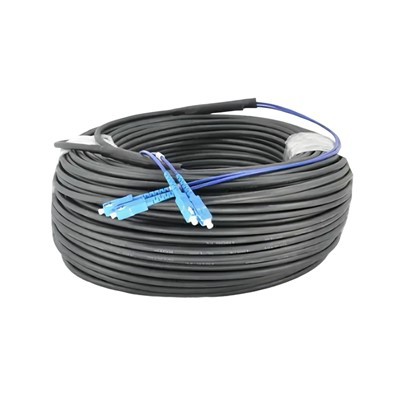
Loose Tube vs. Ribbon
Loose tube and ribbon cables are built in different ways. Ribbon cables put fibers in flat rows that stick together. Loose tube cables keep fibers apart inside tubes with gel. You can see the big differences in this table:
|
Feature |
Loose Tube Fiber Optic Cable |
Ribbon Fiber Optic Cable |
|---|---|---|
|
Fiber Density |
Lower |
Higher |
|
Splicing Time |
Longer |
Shorter |
|
Installation Cost |
Higher |
Lower |
|
Emergency Recovery Time |
Longer |
Shorter |
Ribbon cables hold more fibers in a small space. You can join many fibers at once. This saves you time and money. Loose tube cables take longer to join and cost more to put in. If your network breaks, ribbon cables help you fix it faster.
You should also think about what the cables are made of and how long they last. Both ribbon and loose tube cables use strong jackets like polyethylene. They also have coatings that block the sun. Both types follow safety rules like ANSI/ICEA S-83-596 and NFPA-262. Ribbon cables often last longer in places with lots of fibers. This is because they protect the fibers better when you put them in.
|
Material/Feature |
Loose Tube Cable |
Ribbon Cable |
|---|---|---|
|
Outer Jacket |
Polyethylene/PVC |
Polyethylene/LSZH |
|
Fire Rating |
Standard |
Enhanced (OFNP, FT-6) |
|
Typical Lifespan |
20+ years |
20+ years |
|
Standards |
ANSI/ICEA, RoHS |
ANSI/ICEA, RoHS, NFPA-262 |
Note: Both cable types are safe and work well. Ribbon cables often have better fire safety for indoor places.
Cost and Scalability
You want to spend less and make your network easy to grow. Ribbon Cable Fiber Optic helps you do this. Here is how it stacks up against other types:
- High-Density Connections: You can fit more fibers in a small space. This is great for big jobs like data centers and city networks.
- Mass Fusion Splicing: You can join many fibers at once. This makes setup faster and costs less for work.
- Cost Efficiency: The small size and quick splicing mean you pay less to put it in than loose tube cables.
If you want to make your network bigger later, ribbon cables make it easy. You can add more fibers without taking out old cables. This saves you money and keeps your network working.
|
Cost Factor |
Loose Tube Cable |
Ribbon Cable |
|---|---|---|
|
Initial Cost |
Moderate |
Moderate |
|
Installation Labor |
High |
Low |
|
Upgrade Cost |
Higher |
Lower |
|
Scalability |
Limited |
Excellent |
Tip: For big projects, ribbon cables save you the most money. You also get easier upgrades.
Maintenance
You want cables that are simple to take care of. Ribbon cables give you some big benefits:
You can get ribbon cables ready and joined faster than loose tube cables. This means you pay less for work.
Ribbon cables use less space in boxes and rooms. This makes them easier to handle.
You get more fibers in a small area. This helps when you do not have much room in ducts.
Loose tube cables are better if you need to reach single fibers a lot. You can get to one fiber without moving the others. But for most big networks, ribbon cables make fixing and caring for cables faster and cheaper.
Remember: Ribbon cables help you fix problems faster and pay less for repairs. Your network will work better with less work.
Buyer Considerations

Project Scale
Pick your cable based on project size. Big jobs like data centers need cables with lots of fibers. These cables must be tough and last long. Small jobs, like linking buildings, need fewer fibers. But easy setup and future upgrades are still important.
|
Project Type |
Fiber Count Needed |
Installation Complexity |
Upgrade Potential |
|---|---|---|---|
|
Data Center |
864–6912 |
High |
Excellent |
|
FTTH Deployment |
144–1728 |
Moderate |
Good |
|
Campus Backbone |
24–288 |
Low |
Moderate |
Think about what you need now and later. Ribbon Cable Fiber Optic lets you add more fibers when you grow. You save time and money by picking the right cable for your project.
Tip: Guess how many fibers you will need in the future. If you get more now, you will not have to upgrade soon.
Delivery and Lead Time
Quick delivery helps you finish on time. You want suppliers who answer fast and give good quotes. Big companies make cables faster to cut waiting. Hengtong makes delivery quick by improving how they build cables and giving instant quotes. Plenum Innerduct also ships fast so you do not wait long.
Suppliers might not say exactly how long delivery takes.
Ask for clear delivery dates before you order.
Fast shipping means less waiting and more work done.
If you have a tight schedule, pick vendors who deliver quickly. Ask for proof or stories from other customers to check if they are reliable.
Note: Fast delivery stops delays and keeps your network project moving.
Certifications
Certifications show your cable is safe and works well. You need cables that follow world rules, especially for big or public jobs. Look for certifications like RoHS, NEC® OFNP, ANSI/ICEA S-83-596, NFPA-262, and CSA-FT-6. These mean your Ribbon Cable Fiber Optic is safe from fire, good for the environment, and strong.
|
Certification |
What It Means |
|---|---|
|
RoHS |
No dangerous chemicals |
|
NEC® OFNP |
Safe for fire in air spaces |
|
ANSI/ICEA S-83-596 |
Meets industry standards |
|
NFPA-262 |
Fire safety for fiber cables |
|
CSA-FT-6 |
Canadian fire test |
Check certifications with your supplier before you buy. Certified cables protect your money and help you pass checks. They also lower the chance of problems and expensive fixes.
Tip: Always ask for proof of certifications. This helps you follow rules and keeps your network working well for a long time.
ROI
When you buy ribbon cable fiber optic, you want to get good value. ROI means you check if what you spend is worth it. You need to see if your network upgrade will help you later. Ribbon cable fiber optic helps you save money and grow your business.
You look at three main costs. Capital expenditure (CapEx) is the money you spend to buy and set up the cable. Operational expenditure (OpEx) is the cost to keep your network working and fix it over time. ROI shows how much you gain from your investment.
|
Type of Expenditure |
Description |
|---|---|
|
Capital Expenditure (CapEx) |
Initial cost for device installation and infrastructure. |
|
Operational Expenditure (OpEx) |
Ongoing costs related to network maintenance and upgrades. |
|
Return On Investment (ROI) |
Calculation of potential financial return from the fiber network to justify the investment. |
You pay less CapEx with ribbon cable fiber optic. You need fewer cables for big jobs. You finish setup faster. Mass fusion splicing lets you join many fibers at once. This cuts labor costs. You spend less on tools and worker hours. Your OpEx goes down because ribbon cables last longer. They need less fixing. The strong jackets and smart design protect against weather and fire.
Tip: If you pick ribbon cable fiber optic, you have less downtime. You avoid expensive repairs. Your network stays strong and works well. You get fewer service calls and lose less money.
Your network gives you more value as your business grows. Ribbon cable fiber optic makes upgrades easy. You add more fibers without changing old cables. This helps you meet new needs without spending a lot. Your network runs smoothly. This keeps your customers happy and helps your business look good.
Here are main reasons why ribbon cable fiber optic gives high ROI:
You save money on setup and labor.
You spend less on fixing and keeping cables working.
You can upgrade easily as your business grows.
You keep your network safe and working well.
You follow safety and performance rules.
Telecom operators, EPCs, and distributors get these benefits. You give better service, finish jobs faster, and keep costs low. Ribbon cable fiber optic helps you build networks that last and grow with your business.
📈 ROI matters for every network project. If you choose ribbon cable fiber optic, you make a smart choice that helps now and later.
Installation and Maintenance

Installation Tips
You want your ribbon cable fiber optic network to work well from the start. Good installation helps your network last longer and work better. In places with lots of cables, you must be careful. This stops mistakes and keeps your network running.
Here are steps for a good installation:
Use tools that keep the cable small. This helps you fit cables in tight spots and keeps fibers safe.
Do not pull too hard on the cable. Too much force can break fibers and make your network weaker.
Lay extra cable in a figure-8 shape. This stops twisting and makes fixing things easier later.
Keep cables safe from being hit or crushed. If a cable gets crushed, you can lose signal and pay a lot to fix it.
Tip: Always watch the cable bend radius. Bending too much can hurt fibers and cause data loss. Follow the bend rules every time you install.
Put fibers in splice trays so you can find them easily. Use color codes to help you spot circuits fast. Store fibers in trays from the start to stop mix-ups later.
Maintenance Practices
Doing regular checks keeps your ribbon cable fiber optic network working well. You stop problems before they get big and save money on repairs.
|
Maintenance Practice |
Description |
|---|---|
|
Protect Against External Damage |
Keep underground fiber safe from digging and protect aerial fiber from weather. |
|
Conduct Routine Inspections and Maintenance |
Check often for damage, weak signals, and loose connectors. |
|
Upgrade Associated Hardware as Needed |
Update parts like transmitters and receivers to keep your network strong. |
Look at and clean fiber connections often to keep signals strong. Use special tools, like video microscopes, to check for dirt. Clean connectors help your network stay fast and stop outages.
Note: Taking care of your network helps it last longer and saves your money.
Troubleshooting
Fixing problems fast keeps your network working well. If you see signal loss or other issues, check the usual trouble spots first.
Look at all connectors and adapters for dirt or damage.
Make sure fibers are neat and labeled in splice trays.
Check the cable for damage, especially at bends and where it enters.
Use OTDR tools to find where the problem is and measure signal loss.
If you find something wrong, fix it right away. Clean dirty connectors, change broken fibers, and fix any labels that are wrong. Acting fast keeps your ribbon cable fiber optic network working its best and protects your investment.
🛠️ Tip: Keeping cables neat and checking them often makes fixing problems quicker and cheaper. This saves you time and money.
You get many clear benefits when you pick Ribbon Cable Fiber Optic for your network. This cable lets you fit lots of fibers in a small space. You spend less money and time putting it in. You can also make your network bigger later if you need to. Mass fusion splicing lets you join many fibers at once, so you finish faster.
|
Benefit |
Description |
|---|---|
|
High Fiber Density |
Lets you use space better in busy places. |
|
Reduced Installation Costs |
Makes setup quicker and saves money on work. |
|
Scalability |
Helps your network grow and get upgrades later. |
|
Efficient Mass Fusion Splicing |
Lets you join many fibers at the same time, saving time. |
Ribbon cables work well in data centers, FTTH jobs, and backbone links. These cables help you finish setup fast and pay less for labor. They also help you fix problems quickly if your network goes down. Think about what your network needs and see if Ribbon Cable Fiber Optic is right for your next job.
Next steps:
Make a plan for your fiber layout to keep it strong.
Use tools to watch for problems early.
Teach your team and keep cables neat.
Check suppliers and risks to make a good buying plan.
References & Standards:
IEC, ITU, IEEE standards
PLP, AFL, CommScope white papers
ANSI/ICEA S-83-596, NFPA-262, CSA-FT-6
FAQ
Why should you choose ribbon cable fiber optic for high-density networks?
Ribbon cable fiber optic helps you fit more fibers in small spaces. You can finish jobs faster and pay less for work. Upgrading later is simple, so your network can grow.
Why does ribbon cable fiber optic reduce installation time?
You can join many fibers at the same time with this cable. Mass fusion splicing makes setup much quicker, up to 85% faster. You spend less time and save money on labor.
Why is ribbon cable fiber optic better for B2B buyers?
You get lots of fibers, easy joining, and good value. Ribbon cable fiber optic meets tough rules and lasts a long time. You have less downtime and fewer repairs.
Why do you need certified ribbon cable fiber optic?
Certified ribbon cable fiber optic follows safety and quality rules. You avoid legal trouble and keep your network working well. Certifications like RoHS and NFPA-262 protect your money.
Why does ribbon cable fiber optic improve ROI?
You spend less on setup and fixing cables. Ribbon cable fiber optic lets you upgrade fast and pay less for repairs. Your network keeps working and is worth more over time.
Why is ribbon cable fiber optic suitable for both indoor and outdoor use?
Makers build ribbon cable fiber optic with tough jackets and water-blocking parts. You can use it safely in buildings, data centers, and outside. It protects your network from fire, weather, and animals.
Why do telecom operators and EPCs prefer ribbon cable fiber optic?
You finish big jobs fast and meet high fiber needs. Ribbon cable fiber optic is easy to manage and follows standards. You give good service and lower risks for your network.
Why should you plan for future network growth with ribbon cable fiber optic?
Ribbon cable fiber optic gives you space for more users and devices. You can upgrade without changing old cables. Your network is ready for new tech and more data.