





Hey there! As a supplier of fiber optic cable assemblies, I know how crucial it is to properly install these cables in data centers. It's not just about plugging things in; it's a meticulous process that can make or break the efficiency and reliability of your data center. In this post, I'll walk you through the steps of installing fiber optic cable assemblies in a data center, and I'll also share some tips and tricks I've picked up over the years.
Planning Your Installation
Before you start installing anything, it's important to have a solid plan in place. This involves assessing your data center's layout, determining the amount and type of cable you'll need, and figuring out the best route for your cables.
Take a look at your data center's physical layout. Look for potential obstacles like walls, racks, or other equipment that might get in the way of your cables. You'll also want to identify the locations where you'll be connecting your cables, such as servers, switches, and patch panels.
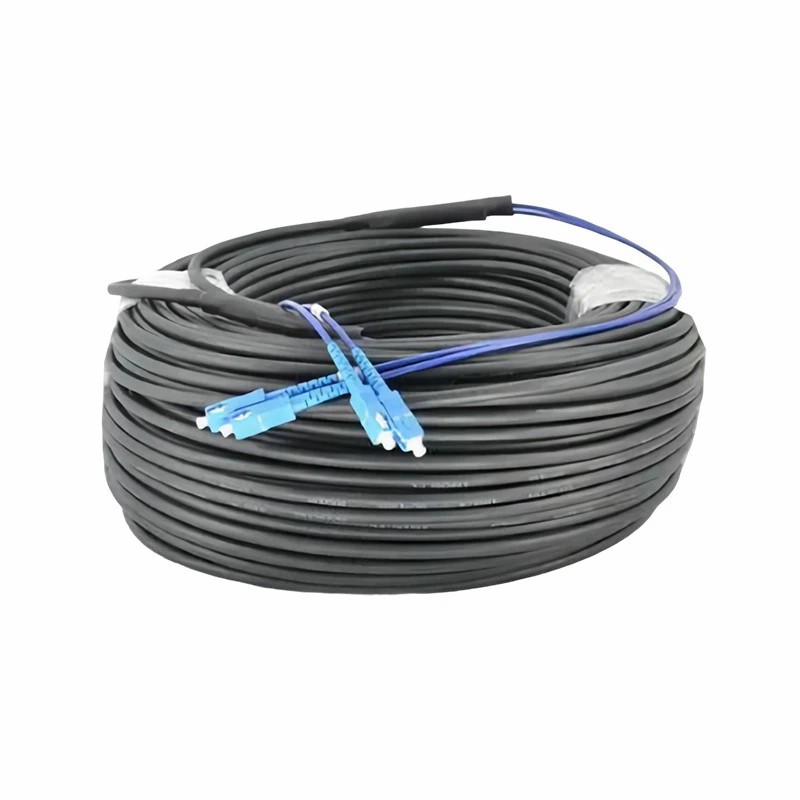
Once you have a clear idea of your data center's layout, it's time to decide on the type and amount of cable you'll need. There are different types of fiber optic cable assemblies available, each with its own advantages and disadvantages. For instance, the Multi-Fiber SC To SC Cable Assembly is great for carrying multiple signals in a single cable, which can save space and reduce clutter. On the other hand, the SC To SC Duplex Cable Assembly is a simple and reliable option for transmitting two signals.
To determine the amount of cable you'll need, measure the distance between your cable termination points. It's a good idea to add a little extra length to account for any bends or twists in the cable. You don't want to end up short on cable and have to splice additional pieces together, which can introduce signal loss and increase the risk of failure.
Choosing the Right Route
Selecting the best route for your cables is crucial for minimizing signal interference and protecting the cables from damage. You'll want to avoid running your cables near sources of electromagnetic interference (EMI), such as power cables or large electrical equipment. EMI can cause signal degradation and lead to data loss or errors.
When planning your cable route, try to keep your fiber optic cables separate from other types of cables. This can help prevent cross-talk and interference. You can use cable trays, conduits, or raceways to organize and protect your cables. These structures can also make it easier to access and maintain your cables in the future.
It's also important to consider future expansion when choosing your cable route. Leave some extra space in your cable trays or conduits to accommodate additional cables that you might need to install down the road. This can save you time and money in the long run.
Preparing the Installation Site
Once you have your plan and cable route figured out, it's time to prepare the installation site. This involves cleaning the area where you'll be installing the cables and making sure it's free of debris and dust. Dust and debris can get into the fiber optic connectors and cause signal loss, so it's important to keep the area as clean as possible.
You'll also need to mount your patch panels, connectors, and other accessories in the appropriate locations. Make sure these components are securely fastened and aligned properly. Misaligned connectors can cause signal loss and make it difficult to connect the cables.
Before you start installing the cables, it's a good idea to test your patch panels and connectors to make sure they're working properly. You can use a cable tester to check for continuity and signal strength. This can help you identify any potential issues before you start installing the cables.
Installing the Fiber Optic Cable Assemblies
Now it's time to install the fiber optic cable assemblies. Start by pulling the cable through the cable trays, conduits, or raceways that you've installed. Be careful not to pull the cable too tightly, as this can damage the fibers inside. You can use a cable pulling lubricant to make the pulling process easier and reduce the risk of damage.
Once you've pulled the cable to the desired location, you'll need to terminate the ends of the cable with connectors. There are different types of connectors available, such as SC, LC, and ST connectors. Make sure you use the right type of connector for your equipment and that it's properly installed.
To install the connectors, you'll need to strip the outer jacket of the cable, clean the fibers, and insert the fibers into the connector. You'll then need to use a crimping tool or epoxy to secure the connector to the cable. Follow the manufacturer's instructions carefully to ensure a proper installation.
After you've terminated the ends of the cable, you can connect the cable to the patch panels, switches, or servers. Make sure the connectors are properly inserted and tightened. Loose connectors can cause signal loss and lead to network issues.
Testing and Troubleshooting
Once you've installed the fiber optic cable assemblies, it's important to test the network to make sure everything is working properly. You can use a fiber optic tester to check for signal strength, attenuation, and continuity. Make sure the test results are within the acceptable range for your network.
If you encounter any issues during the testing process, you'll need to troubleshoot the problem. Start by checking the connectors to make sure they're properly installed and tightened. You can also use a visual fault locator to check for breaks or bends in the cable. If you find a problem, you'll need to repair or replace the damaged cable or connector.

Maintenance and Care
Proper maintenance and care of your fiber optic cable assemblies are essential for ensuring the long-term reliability and performance of your data center. Regularly inspect your cables and connectors for signs of damage, such as cracks, scratches, or loose connections. Clean the connectors regularly to remove any dust or debris that might have accumulated.
You should also keep an inventory of your fiber optic cable assemblies and track their usage and performance over time. This can help you identify any trends or issues and plan for future upgrades or replacements.
Conclusion
Installing fiber optic cable assemblies in a data center is a complex process that requires careful planning, preparation, and execution. By following the steps outlined in this post, you can ensure a successful installation and maximize the performance and reliability of your data center.
If you're looking for high-quality fiber optic cable assemblies for your data center, we've got you covered. Our products, including the Multi-Fiber SC To SC Cable Assembly, SC To SC Duplex Cable Assembly, and Pre-Connectorized Drop Cable, are designed to meet the highest standards of performance and reliability.
If you have any questions or need more information about our fiber optic cable assemblies, or if you're ready to start a purchasing discussion, feel free to reach out. We're here to help you find the best solutions for your data center needs.
References
- "Fiber Optic Installation Handbook," published by some industry experts
- "Data Center Cabling Best Practices," a whitepaper from a leading data center technology company