

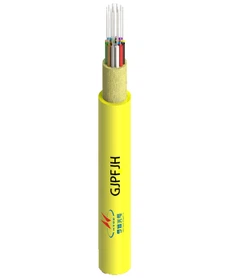


Hey there! As a supplier of FTTH drop cable patch cords, I've seen my fair share of installation mishaps that can seriously damage these precious cords. In this blog, I'm gonna share some top - notch tips on how to prevent damage to an FTTH drop cable patch cord during installation.
1. Planning Ahead is Key
Before you even start the installation, take the time to plan out the whole process. Check the route where the patch cord will be installed. Look for any potential hazards like sharp edges, areas with high foot traffic, or spots where the cord might get pinched.
For instance, if you're running the cord through a wall, make sure there are no nails or screws hidden inside that could cut into the cable. Also, measure the length accurately. You don't want to have too much slack that could lead to tangling or too little that could put stress on the cord.
A proper plan can save you a lot of headaches later on. It's like mapping out a road trip - you wouldn't just start driving without knowing where you're going, right?
2. Handling the Patch Cord with Care
When you first get your hands on the FTTH drop cable patch cord, handle it gently. These cords are delicate, and rough handling can cause internal damage that might not be visible right away but can affect performance over time.
Don't bend the cord at sharp angles. The minimum bend radius for most patch cords is specified by the manufacturer. For example, a typical bend radius could be around 10 times the outer diameter of the cable. So, if the cable has an outer diameter of 3mm, you don't want to bend it with a radius less than 30mm.
Also, avoid pulling the cord too hard. Excessive pulling can stretch the fiber inside, leading to signal loss. When you're pulling the cord through conduits or around corners, use a smooth - walled guide or a pulling tape to reduce friction.
3. Protecting the Connectors
The connectors on an FTTH drop cable patch cord are super important. They're the points where the signal is transferred, and any damage to them can cause major problems.
Before installation, make sure the connectors are clean. You can use a special connector cleaning kit that usually comes with lint - free wipes and cleaning fluid. Clean the connectors in a dust - free environment to prevent any particles from getting stuck on them.
When you're plugging the connectors into the equipment, do it carefully. Align them properly and insert them gently. Don't force them in if they don't seem to fit right. A misaligned connector can damage the pins inside and lead to poor connectivity.


4. Choosing the Right Tools
Using the right tools for the job can make a huge difference in preventing damage to the patch cord. For example, when cutting the cable, use sharp and clean cable cutters. Dull cutters can crush the cable instead of making a clean cut, which can damage the fiber.
If you're installing the cord in a tight space, use long - nose pliers or a fiber optic installation tool to reach and position the cord properly. And when you're securing the cord, use cable ties or clips that are designed for fiber optic cables. These won't put too much pressure on the cord and cause damage.
5. Environmental Considerations
The environment where you're installing the FTTH drop cable patch cord matters a lot. Extreme temperatures, moisture, and dust can all have a negative impact on the cable.
If you're installing the cord outdoors, make sure it's rated for outdoor use. Outdoor cables are usually designed to withstand UV rays, rain, and temperature variations. You might also want to use protective sleeves or conduit to shield the cable from the elements.
In indoor environments, keep the area clean and dry. Avoid installing the cord near sources of heat, like radiators or servers, as excessive heat can degrade the cable's insulation.
6. Testing Along the Way
Once you've installed a section of the patch cord, test it right away. You can use a simple optical power meter to check the signal strength. If the signal is weaker than expected, there might be some damage to the cord.
Testing early allows you to identify and fix any issues before you finish the whole installation. It's better to catch a problem early than to have to tear out the whole installation later on.
Product Recommendations
If you're in the market for high - quality FTTH drop cable patch cords, we've got some great options. Check out our FTTH Drop Cable Patch Cord SC To SC Duplex. It's a reliable choice for many installations. Also, our FTTH Patch Cord FC pigtail is perfect for specific setups. And if you need a duplex FC connection, our FTTH Drop Cable Patch Cord FC To FC Duplex is a top - notch option.
Let's Talk Business
If you're interested in purchasing our FTTH drop cable patch cords or have any questions about installation or product selection, don't hesitate to reach out. We're here to help you get the best products for your needs and ensure a smooth installation process. Whether you're a small - scale installer or a large - scale project manager, we've got the solutions for you.
References
- "Fiber Optic Installation Handbook"
- Manufacturer's guidelines for FTTH drop cable patch cords